
Reviews
Your graphics add a nice touch to my presentations and I recently used them for one of my all-hands meetings. Your toolbox adds professionalism to my slides. Instead of using standard clipart.
I needed a fresh look at some of my slides. I've tried to find a way to create a paintbrush effect, to underline, accentuate, add some color and the handwritten markers were just the things. Very easy to use, easy to size, change the color. It was an affordable, perfect solution and I'm happy to recommend it.
The crisp, clean look of the graphics, and the fact that it allowed me to easily edit and change the colors to match the template was my main reason for purchasing them.
Description
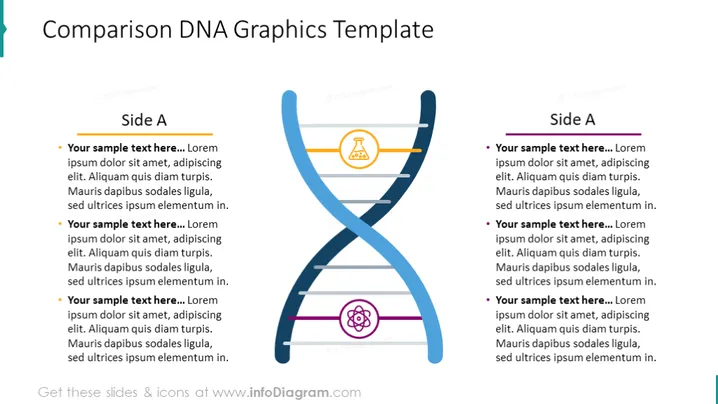
Comparison DNA Graphics Template
Slide Content
The "Comparison DNA Graphics Template" presents a symmetrical structure resembling a DNA double helix with a central graphic dividing two lists. Each side is labeled "Side A," suggesting a comparison or two aspects of a single topic. The bullet points labeled "Your sample text here..." indicate placeholders for custom content, explaining similarities or differences between the entities being compared.
Graphical Look
- The slide has a double-sided comparison layout centered around a DNA helix-like graphic.
- The DNA graphic is colored in shades of blue and has three rungs, each adorned with a different icon—a justice scale, a puzzle piece, and a target.
- Each side of the DNA graphic is titled "Side A" and has a horizontal line running underneath the title.
- There are three bullet points on each side, each starting with a colored circular bullet and the placeholder text "Your sample text here...".
- The color scheme consists of dark and light blues, orange, purple, and grey, giving the slide a professional and clean appearance.
The overall look of the slide is balanced and structured, which enhances the contrasting or comparative information presentation. The use of icons adds a visual element that can help to represent different concepts within the comparison.
Use Cases
- Presenting comparative analyses of two products, services, or concepts in a business presentation.
- Demonstrating the pros and cons of a business decision or strategy during a meeting.
- Depicting the similarities and differences between two competing market trends in a marketing strategy session.
- Illustrating different outcomes of scenarios in project management discussions.
How to Edit
How to edit text & colors

How to expand / shorten diagram

How to Replace Icons in infoDiagram PPT


