
Reviews
Deine Folien sind meine 'geheime Zutat', wenn es darum geht, meine Ideen Kunden zu visualisieren. Ich spare so viel Zeit.
Ihre Folien führen oft zu guten Kommentaren und Ideen meines Teams, die die endgültigen Folien verbessern.
Description
Comparing 3 Products Descriptions Template
Slide Content
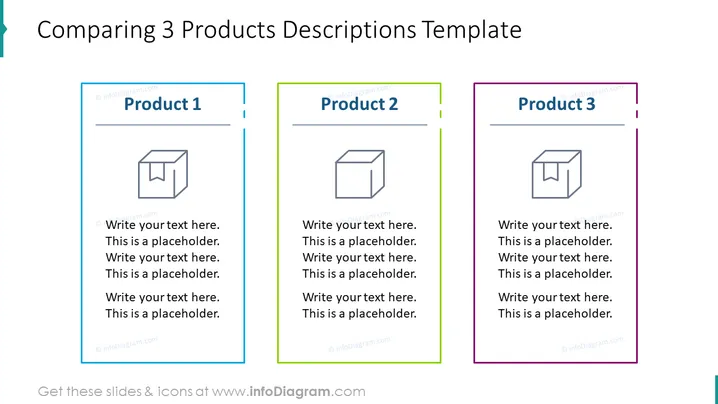
The PowerPoint slide is a template used for comparing three different products. Each product section has a dedicated colored border and header indicating "Product 1," "Product 2," and "Product 3," respectively. Beneath each product title, there is an icon of a 3D box followed by placeholder text, suggesting that this space is intended for a description or bullet points that detail the characteristics, features, or benefits of each product shown.
Graphical Look
- Three distinct content blocks, each outlined with a different colored border: blue for Product 1, green for Product 2, and purple for Product 3.
- Each content block contains a title with the word "Product" followed by the respective number.
- Below each product title, there is a grey-scale icon illustrating a generic 3D box.
- Placeholder text accompanied by a circular bullet point is provided under each icon, indicating where descriptive text should be entered.
- The color theme is simple with a white background and colored accents matching the border colors of the content blocks. The slide has a clean, organized look with a minimalist design. The use of color coding helps in visually distinguishing between the three products.
Use Cases
- Presenting a side-by-side comparison of features, benefits, or specifications of competitive products to stakeholders or in sales meetings.
- Outlining key differences between three variants of a product during a product development or marketing presentation.
- Utilizing the template to compare pricing, target audiences, or market positions of three different products in a business strategy meeting.
- Applying the slide in a training or educational setting to elucidate contrasting approaches, methods, or results across three case studies or scenarios.
How to Edit
How to edit text & colors

How to expand / shorten diagram

How to Replace Icons in infoDiagram PPT


