

Your graphics add a nice touch to my presentations and I recently used them for one of my all-hands meetings. Your toolbox adds professionalism to my slides. Instead of using standard clipart.
Claude Jones, Director of Engineer, @Walmartlabs, USA

Your graphics add a nice touch to my presentations and I recently used them for one of my all-hands meetings. Your toolbox adds professionalism to my slides. Instead of using standard clipart.
Claude Jones, Director of Engineer, @Walmartlabs, USA
I needed a fresh look at some of my slides. I've tried to find a way to create a paintbrush effect, to underline, accentuate, add some color and the handwritten markers were just the things. Very easy to use, easy to size, change the color. It was an affordable, perfect solution and I'm happy to recommend it.
Anonymous, US
The crisp, clean look of the graphics, and the fact that it allowed me to easily edit and change the colors to match the template was my main reason for purchasing them.
Brandie Jenkins, E-learning Developer, USA
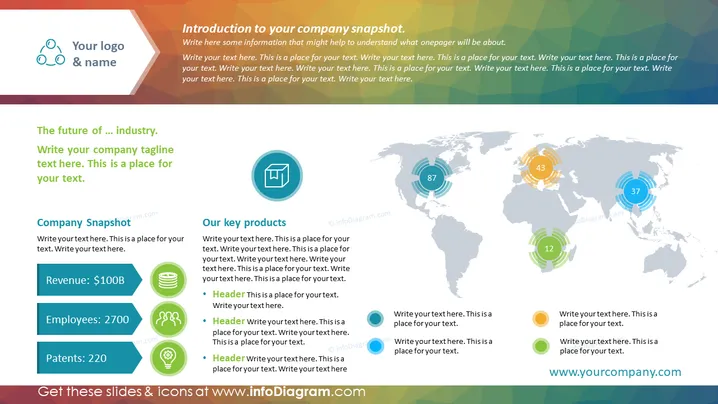
##Slide contents: This Financial KPI One Pager Slide is divided into 4 parts. At the top of the page, you can write your company's name and logo with a brief introduction about your company. In this PowerPoint template, you can write your company's main financial KPI: revenues, employees, and patents. You can illustrate an icon next to each key performance indicator to make your presentation more attention-grabbing. In this PowerPoint slide, there is enough space for you to write a brief explanation for each of your products or services. The world map can be used when you want to talk about the distribution of your products and expanding to future markets. At the bottom of the slide, you can write your company's website so that your clients can visit your page. This Powerpoint presentation template is beneficial when you want to share key information with investors or partners. This One-Pager Company Snapshot is customizable, allowing you to edit the design. You can download this slide on PowerPoint and Google Slides. Using this KPI template, you can present your company's information in an organized way. ##Slide Infographic description: White Background, Arrow Icon, Text Box, Editable Shapes, Colorful Bullet Points, Revenue Icon, People Icon, Employee Icon, Patent Icon, Box Icon, World Map



