
Reviews
Your graphics add a nice touch to my presentations and I recently used them for one of my all-hands meetings. Your toolbox adds professionalism to my slides. Instead of using standard clipart.
I needed a fresh look at some of my slides. I've tried to find a way to create a paintbrush effect, to underline, accentuate, add some color and the handwritten markers were just the things. Very easy to use, easy to size, change the color. It was an affordable, perfect solution and I'm happy to recommend it.
The crisp, clean look of the graphics, and the fact that it allowed me to easily edit and change the colors to match the template was my main reason for purchasing them.
Description
COMPANY TIMELINE
Slide Content
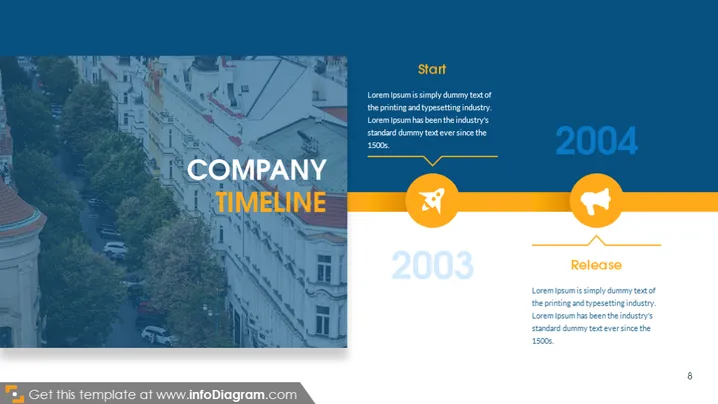
The PowerPoint slide titled "COMPANY TIMELINE" appears to detail key milestones in a company's history. It contains two notable events: "Start" in 2003, which is associated with the company’s initiation and is marked with dummy text describing it as a beginning, and "Release" in 2004, linked with a product release or significant event, again accompanied by placeholder text. Each event is further illustrated with a circular icon—one depicting a rocket to symbolize a launch or start, and the other showing a bullhorn to represent an announcement or release.
Graphical Look
- The slide has a split composition with the left half displaying an image background and the right half featuring the timeline content on a white background.
- A large, bold, white font is used for the slide title "COMPANY TIMELINE," with an orange accent line beneath it.
- Two timeline points are presented horizontally across the slide, each with a large year label ("2003" and "2004") in bold, orange font.
- Each timeline point has a line connecting to a circled icon with a white symbol inside – a rocket for "Start" and a bullhorn for "Release."
- The text accompanying the timeline points is in a smaller, sans-serif font, providing descriptions with placeholder text.
- A small page number "8" is positioned in the bottom right corner.
- The overall slide has a minimalist design with a balance of image and text. The color palette consists of white, orange, and blue tones.
The slide design is modern and clean, with a stark contrast between the imagery and the informative components. The use of icons, bold colors, and clear typography aids in conveying the information effectively.
Use Cases
- Present the history or major milestones during a company presentation or annual meeting.
- Illustrate the timeline of product development in a project kick-off or review meeting.
- Communicate the growth and strategic developments to stakeholders or investors during business updates or pitches.
- Use as a visual aid in educational or training sessions to outline a historical perspective of company achievements or industry progression.
How to Edit
How to edit text & colors

How to expand / shorten diagram

How to Replace Icons in infoDiagram PPT


