
Reviews
Your slides are my 'secret sauce' when it comes to visualising my ideas to clients. I'm saving so much time.
InfoDiagram has been a wonderful resource since I found the product site a few years ago.
Your slides often generate good comments and ideas from my team that improve the final slides.
Description
The Company Budget Summary Financial Dashboard Slide Description
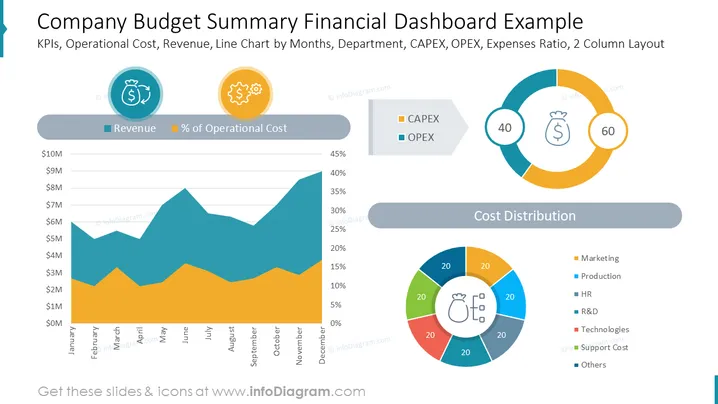
The slide presents the dashboard with the Company Budget Summary Financial example. It's a two-column slide with a line & area chart representing values for the revenue, and the % of operational costs and two donut charts representing the CAPEX, OPEX, and cost distribution. All charts and icons presented on the slide are fully editable in PowerPoint.
The Company Budget Summary Financial Dashboard Slide Contains:
- Expenses ratio
- OPEX
- Line chart by months
- Revenue
- Departments
- CAPEX
- 2 column layout
- Operational cost
- KPIs
- Donut charts
- Icons
How to Edit
How to edit text & colors

How to expand / shorten diagram

How to Replace Icons in infoDiagram PPT


