
Reviews
Your graphics add a nice touch to my presentations and I recently used them for one of my all-hands meetings. Your toolbox adds professionalism to my slides. Instead of using standard clipart.
I needed a fresh look at some of my slides. I've tried to find a way to create a paintbrush effect, to underline, accentuate, add some color and the handwritten markers were just the things. Very easy to use, easy to size, change the color. It was an affordable, perfect solution and I'm happy to recommend it.
The crisp, clean look of the graphics, and the fact that it allowed me to easily edit and change the colors to match the template was my main reason for purchasing them.
Description
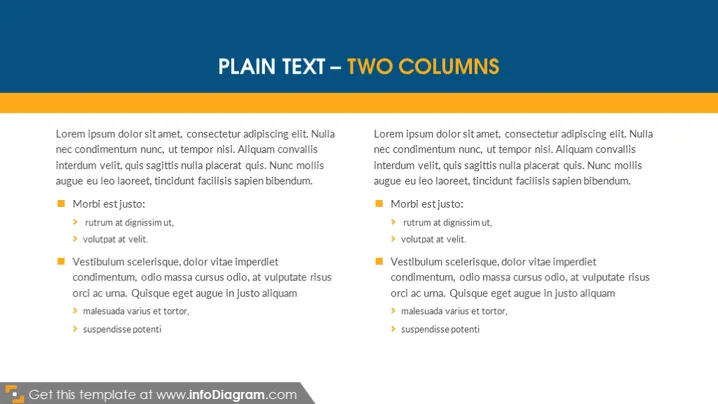
PLAIN TEXT – TWO COLUMNS
Slide Content
This PowerPoint slide is titled "PLAIN TEXT – TWO COLUMNS," which suggests a structured comparison or presentation of two sets or categories of information. Both columns contain placeholder text, often beginning with "Lorem ipsum," which is commonly used in design as filler text. The content in both columns appears identical, with bullet points outlining three main topics: "Morbi est justo," "Vestibulum scelerisque," and a third, untitled bullet point with a sub-bullet. Each main topic has sub-items that further explain or elaborate on the main topic, though these are also filler text with no substantive meaning.
Graphical Look
- The slide has a simple, two-column format with an ample amount of whitespace for readability.
- A bold, capitalized title "PLAIN TEXT – TWO COLUMNS" sits centered at the top of the slide.
- Both left and right columns have the same layout: an introductory paragraph of text followed by three separate bullet points, each with an accompanying square icon.
- Sub-bullets use a smaller indentation level and are preceded by a triangular bullet icon.
- The text and bullet points are set against a plain white background.
- The top of the slide has a header strip in shade of orange, which complements the orange square bullets, creating a cohesive color scheme.
The overall look of the slide is clean and uncluttered. The color scheme is minimal, focused on orange accents that draw attention to key points.
Use Cases
- Comparing and contrasting two different sets of ideas, products, services, or strategies.
- Presenting two related branches of a central topic or theme to showcase their similarities or differences.
- Outlining pros and cons or advantages and disadvantages side by side for a quick and clear comparison.
- Summarizing key points or conclusions from two different sections or chapters of a report.
How to Edit
How to edit text & colors

How to expand / shorten diagram

How to Replace Icons in infoDiagram PPT


