
Reviews
Sus gráficos añaden un toque agradable a mis presentaciones y recientemente los usé para una de mis reuniones generales. Su conjunto de herramientas añade profesionalismo a mis diapositivas. En lugar de usar imágenes prediseñadas estándar.
Necesitaba un aspecto fresco para algunas de mis diapositivas. Había intentado encontrar una forma de crear un efecto de pincel, de subrayar, acentuar, añadir algo de color y los marcadores escritos a mano fueron justo lo que necesitaba. Muy fácil de usar, fácil de ajustar el tamaño, cambiar el color. Fue una solución asequible y perfecta, y estoy feliz de recomendarla.
El aspecto nítido y limpio de los gráficos, y el hecho de que me permitiera editar y cambiar fácilmente los colores para que coincidieran con la plantilla fue mi principal razón para comprarlos.
Description
Communication
Slide Content
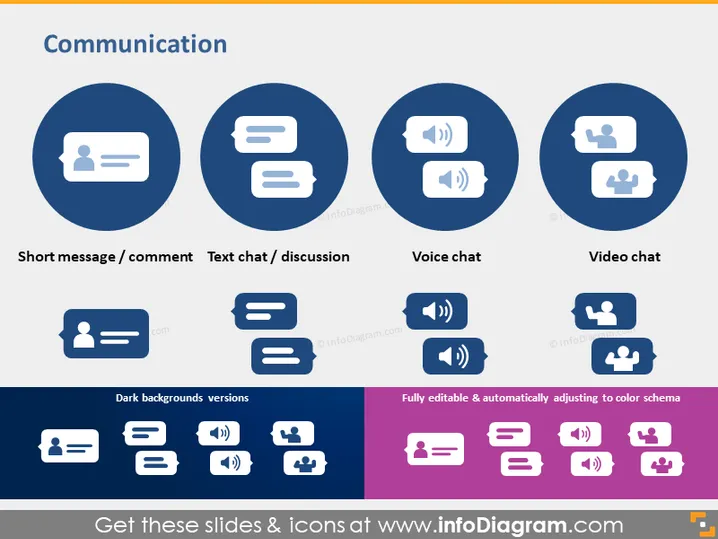
This PowerPoint slide titled "Communication" presents four different communication methods, each depicted with an icon within a large circle and labeled beneath. "Short message / comment" features an icon of a person with a speech bubble, indicating brief, text-based interactions. "Text chat / discussion" shows a speech bubble with three lines, suggesting a conversational exchange of messages. "Voice chat" is represented by a speech bubble with a sound icon, pointing to verbal communication through audio messages. Finally, "Video chat" displays a video camera icon within the bubble, symbolizing face-to-face interaction over video calls. Additionally, the slide exhibits variations of these icons optimized for dark backgrounds and notes that the icons are fully editable and automatically adjust to color schemes.
Graphical Look
- Four main circular icons placed horizontally across the top, each with a pictogram inside.
- Descriptive labels directly under each circular icon for clarification.
- Two rows of alternate style icons, provided for dark backgrounds, placed across the bottom.
- A note in the bottom right corner indicating the icons' editable nature and color-adapting ability.
- The slide background is light with a contrasting dark blue used for the main circular icons.
The slide has a professional and clean design, with a focus on visual representation of communication types through the use of thematic icons. The alternate icon styles at the bottom add a practical aspect for different presentation backgrounds.
Use Cases
- Demonstrating different types of digital communication tools in a company's internal training session.
- Outlining communication protocol options during a project management presentation.
- Comparing various communication methods in a marketing strategy meeting.
- Highlighting available customer service channels in a business development slideshow.
How to Edit
How to edit text & colors

How to expand / shorten diagram

How to Replace Icons in infoDiagram PPT


