
Reviews
Your slides are my "secret sauce" when it comes to presenting my ideas to clients. I save a lot of time.
J'avais un délai de livraison à respecter et je n'avais pas le temps de créer une variété de modèles de diapositives. Infodiagram m'a proposé des options faciles à télécharger et à personnaliser en fonction de mes besoins !
Vos diapositives suscitent souvent de précieux commentaires et idées de la part de mon équipe, ce qui améliore les diapositives finales.
Description
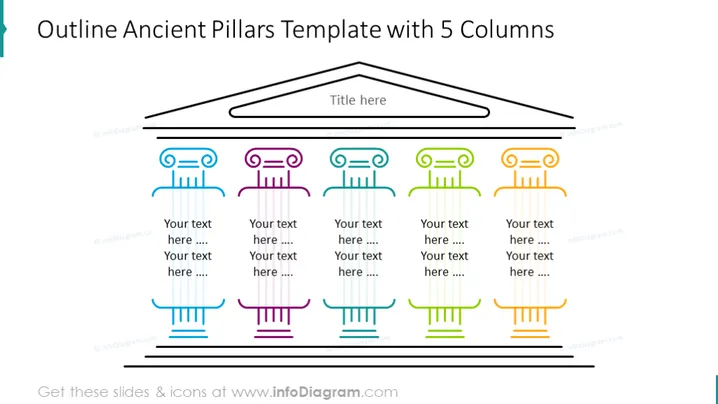
Outline Ancient Pillars Template with 5 Columns
Slide Content
The slide appears to represent the concept "Outline Ancient Pillars Template with 5 Columns," which indicates a structure possibly used to outline five key topics or ideas. Each pillar has a placeholder for text divided into two sections, suggesting that each point has a primary heading and a secondary explanatory text. The differentiation in colors implies distinct categorization or progress through different stages or groups.
Graphical Look
- A pentagon-shaped outline at the top represents a classical pediment.
- Below the pediment, the slide title is centrally positioned.
- Five stylized pillar icons, each with a unique color, are aligned horizontally beneath the title.
- Every pillar icon has two text boxes for custom information.
- Each pillar features a capital with a distinct design, suggesting a unique element or category.
- Horizontal lines accompany the columns, possibly representing a foundation or base for the pillars.
The slide uses a clean, vector-based design with a minimalist aesthetic. The distinct colors and clearly delineated sections make the information easily discernible.
Use Cases
- To compare and contrast five different concepts or ideas during a business strategy presentation.
- To display the foundational pillars of a company's values or mission during a corporate meeting.
- To highlight progress through different project phases or stages in project management updates.
- To categorize and discuss various product lines or market segments in marketing presentations.
How to Edit
How to edit text & colors

How to expand / shorten diagram

How to Replace Icons in infoDiagram PPT


