
Reviews
Ihre Grafiken verleihen meinen Präsentationen eine nette Note, und ich habe sie kürzlich für eines meiner All-Hands-Meetings verwendet. Ihre Toolbox verleiht meinen Folien Professionalität, anstatt Standard-Clipart zu verwenden.
Ich brauchte einen neuen Blick auf einige meiner Folien. Ich habe versucht, einen Weg zu finden, einen Pinselschlag-Effekt zu erzielen, um zu unterstreichen, hervorzuheben, Farbe hinzuzufügen, und die handgeschriebenen Markierungen waren genau das Richtige. Sehr einfach zu bedienen, leicht in der Größe zu ändern, die Farbe zu ändern. Es war eine erschwingliche, perfekte Lösung und ich empfehle sie gerne weiter.
Die klare, saubere Optik der Grafiken und die Tatsache, dass ich die Farben leicht bearbeiten und an die Vorlage anpassen konnte, war mein Hauptgrund für den Kauf.
Description
Slide Title
Slide Content
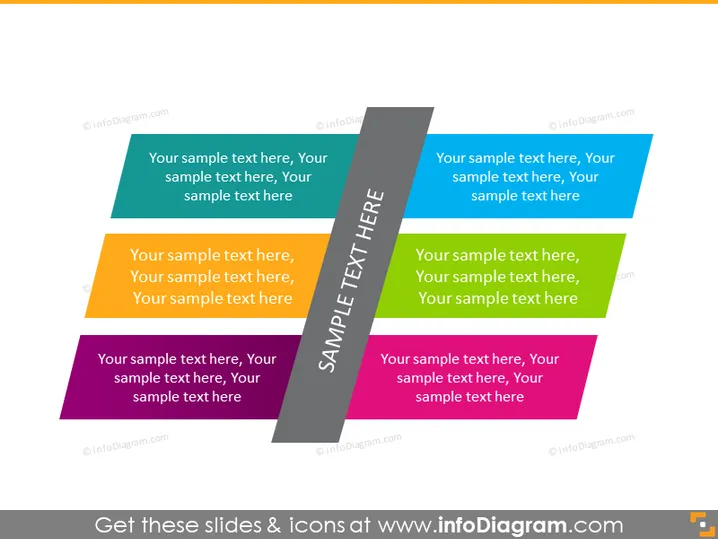
The PowerPoint slide seems to represent a comparison or a categorization of multiple elements, details, or steps. The title "SAMPLE TEXT HERE" indicates where a presenter would customize the slide to reflect the specific subject at hand. Each color-coded section seems to imply distinct categories or phases, each with room for an explanatory text entry, suggesting a flexible template to display a range of concepts like project phases, product features, or organizational divisions with brief descriptions for clarity.
Graphical Look
- The slide has a set of seven parallelograms, each with a different color.
- Every parallelogram has placeholder text titled "Your sample text here" repeated three times.
- The colors of the parallelograms range from teal, through yellow and orange to purple tones.
- There is a central dark gray parallelogram angled vertically that overlaps the other colored shapes.
- The central parallelogram contains the title "SAMPLE TEXT HERE" oriented vertically in white, bold letters.
The slide has a modern, layered design with an overlapping effect, which creates a sense of dynamism and depth. The contrast between the central dark area and the brighter colored shapes helps draw attention to the structure and titles.
Use Cases
- To illustrate various stages of a process or workflow during a business presentation.
- For summarizing different aspects or features of a product in a marketing pitch.
- To categorize and compare different strategic business units or departments during corporate meetings.
- As a way to present multiple data points or topics in an educational or training session.
How to Edit
How to edit text & colors

How to expand / shorten diagram

How to Replace Icons in infoDiagram PPT


