
Reviews
Sus gráficos añaden un toque agradable a mis presentaciones y recientemente los usé para una de mis reuniones generales. Su conjunto de herramientas añade profesionalismo a mis diapositivas. En lugar de usar imágenes prediseñadas estándar.
Necesitaba un aspecto fresco para algunas de mis diapositivas. Había intentado encontrar una forma de crear un efecto de pincel, de subrayar, acentuar, añadir algo de color y los marcadores escritos a mano fueron justo lo que necesitaba. Muy fácil de usar, fácil de ajustar el tamaño, cambiar el color. Fue una solución asequible y perfecta, y estoy feliz de recomendarla.
El aspecto nítido y limpio de los gráficos, y el hecho de que me permitiera editar y cambiar fácilmente los colores para que coincidieran con la plantilla fue mi principal razón para comprarlos.
Description
Slide Content
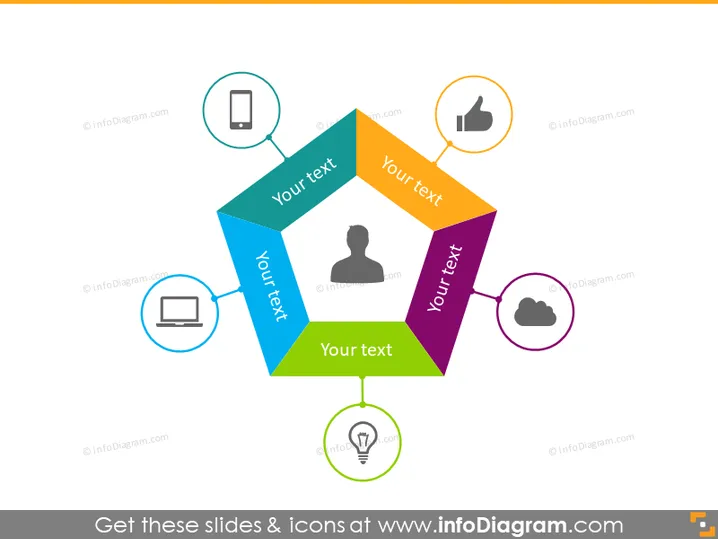
The PowerPoint slide showcases a central hexagonal graphic with six distinct color segments, each linked to an icon-containing circle with placeholder text. This format typically represents a model or framework that consists of six interconnected elements or steps, with each segment and corresponding icon demonstrating a specific aspect or component of the overall scheme.
Graphical Look
- A hexagon centrally placed composed of six differently colored segments; each color appears solid and distinctive.
- Six circles surrounding the hexagon, each connected by a line to one of its segments; the circles have thin borders indicating a connection to the central shape.
- An icon placed inside each circle, representing different themes or concepts—smartphone, laptop, user silhouette, thumbs up, cloud, and light bulb.
- Placeholder text "Your text" appears inside each segment of the hexagon, suggesting customization for specific content.
- Lines connecting circles to the hexagon are solid and straight, aiding in the flow between the central figure and the surrounding elements.
The slide presents a clear and structured layout with a central hexagonal graphic connected to surrounding circles by straight lines, indicating a relationship or flow between concepts. Icons within the circles add visual cues to the placeholders, enhancing the interpretability of the slide's content.
Use Cases
- Illustrating a business model or strategy with six key components.
- Explaining a multi-step process or workflow where each step has a distinct role or contribution.
- Outlining an organizational structure with cross-functional teams or units.
- Presenting a technological ecosystem, with each element denoting a different platform or tool.
How to Edit
How to edit text & colors

How to expand / shorten diagram

How to Replace Icons in infoDiagram PPT


