
Reviews
Sus gráficos añaden un toque agradable a mis presentaciones y recientemente los usé para una de mis reuniones generales. Su conjunto de herramientas añade profesionalismo a mis diapositivas. En lugar de usar imágenes prediseñadas estándar.
Necesitaba un aspecto fresco para algunas de mis diapositivas. Había intentado encontrar una forma de crear un efecto de pincel, de subrayar, acentuar, añadir algo de color y los marcadores escritos a mano fueron justo lo que necesitaba. Muy fácil de usar, fácil de ajustar el tamaño, cambiar el color. Fue una solución asequible y perfecta, y estoy feliz de recomendarla.
El aspecto nítido y limpio de los gráficos, y el hecho de que me permitiera editar y cambiar fácilmente los colores para que coincidieran con la plantilla fue mi principal razón para comprarlos.
Description
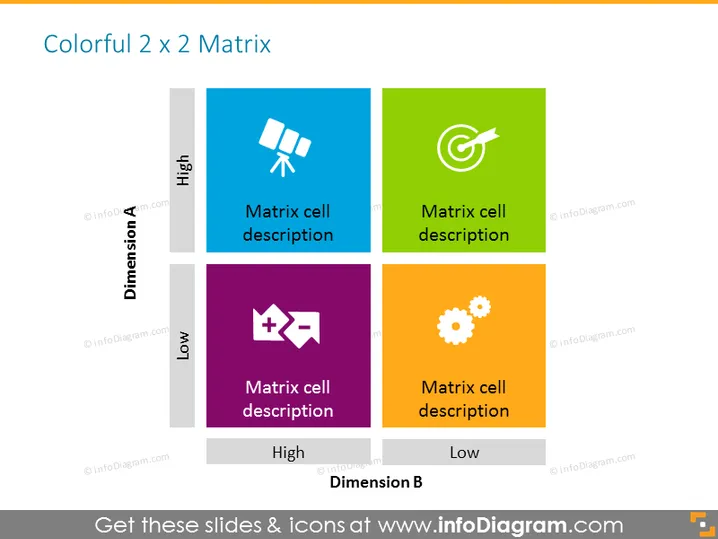
Colorful 2 x 2 Matrix
Slide Content
The slide presents a colorful 2 x 2 matrix used to compare or categorize items based on two dimensions, labeled 'Dimension A' and 'Dimension B' with levels 'High' and 'Low'. Each quadrant of the matrix features a distinct color (blue, green, purple, and orange) and contains an icon along with a placeholder text "Matrix cell description," indicating an area to describe the specific category or condition represented by that quadrant.
Graphical Look
- The slide background is white.
- The title "Colorful 2 x 2 Matrix" is at the top in black font.
- There are four colored squares forming the matrix, in blue, green, purple, and orange.
- Each square contains a white icon and text "Matrix cell description" in it.
- The icons are: two overlapping squares forming a star (blue), a target (green), emblem-like icon consisting of two symbols (purple), and a gear symbol (orange).
- Labels "Dimension A" and "Dimension B" are aligned vertically and horizontally in a bold, gray font, with the words "High" and "Low" to define the matrix dimensions.
The slide has a clean and professional design with contrasting colors and clear labels that facilitate understanding of the matrix structure and its contents.
Use Cases
- To analyze business strategies or processes by evaluating them against two critical dimensions, such as cost vs. quality.
- To present a SWOT analysis (Strengths, Weaknesses, Opportunities, Threats) clearly by placing each component in a separate quadrant.
- To categorize products, services, or projects based on defined criteria such as market share and growth potential.
- To compare competitive positions of different business units or products within a portfolio based on factors like performance and market attractiveness.
How to Edit
How to edit text & colors

How to expand / shorten diagram

How to Replace Icons in infoDiagram PPT


