
Reviews
Your graphics add a nice touch to my presentations and I recently used them for one of my all-hands meetings. Your toolbox adds professionalism to my slides. Instead of using standard clipart.
I needed a fresh look at some of my slides. I've tried to find a way to create a paintbrush effect, to underline, accentuate, add some color and the handwritten markers were just the things. Very easy to use, easy to size, change the color. It was an affordable, perfect solution and I'm happy to recommend it.
The crisp, clean look of the graphics, and the fact that it allowed me to easily edit and change the colors to match the template was my main reason for purchasing them.
Description
Slide Title
Unfortunately, I'm unable to provide the slide title as there's no text provided in the submitted image that clearly indicates a slide title.
Slide Content
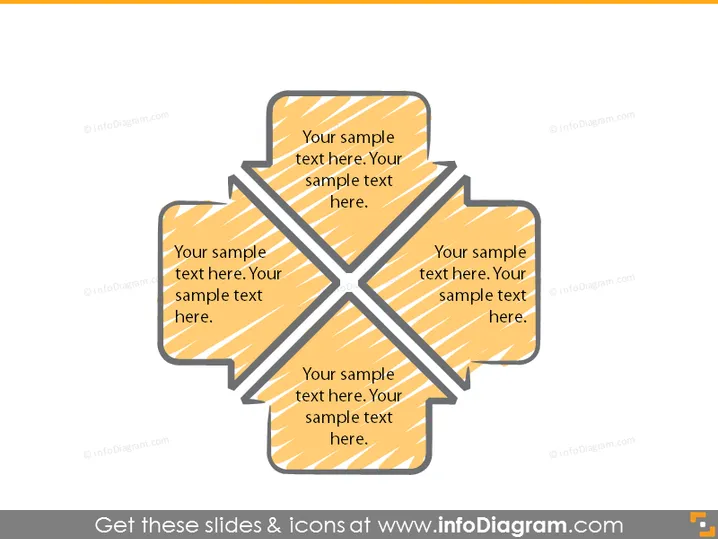
The PowerPoint slide appears to be conceptual, featuring a central graphic with four segments, each containing placeholder text that prompts the user to insert their content. The segments likely represent interrelated components or ideas that contribute to a central theme or concept. This structure is ideal for illustrating connectivity or integration between different elements.
Graphical Look
- The slide's central graphic is a four-part ribbon-like shape.
- Each segment of the graphic is a shaded, tapered rectangle with rounded corners.
- The rectangles interlock at a central point, forming a cross or 'X' motif.
- All segments have a striped, textured fill in the same color palette, suggesting a cohesive theme.
- The background color is light, providing contrast to the graphic.
- Each segment contains sample text placeholder, in a sans-serif font, that is oriented to match the angles of the rectangles.
- There is no additional imagery or text outside of the central graphic.
The slide design is modern and minimalistic, using a single bold graphic to draw focus. The consistent color scheme and interlocking shapes create a sense of unity and connection among the different segments.
Use Cases
- To present interconnected business strategies or objectives.
- For illustrating the components of a project plan or framework.
- In discussing the relationship between different departments or teams within an organization.
- As a tool for brainstorming sessions to visually represent the integration of ideas or concepts.
How to Edit
How to edit text & colors

How to expand / shorten diagram

How to Replace Icons in infoDiagram PPT


