
Reviews
Sus gráficos añaden un toque agradable a mis presentaciones y recientemente los usé para una de mis reuniones generales. Su conjunto de herramientas añade profesionalismo a mis diapositivas. En lugar de usar imágenes prediseñadas estándar.
Necesitaba un aspecto fresco para algunas de mis diapositivas. Había intentado encontrar una forma de crear un efecto de pincel, de subrayar, acentuar, añadir algo de color y los marcadores escritos a mano fueron justo lo que necesitaba. Muy fácil de usar, fácil de ajustar el tamaño, cambiar el color. Fue una solución asequible y perfecta, y estoy feliz de recomendarla.
El aspecto nítido y limpio de los gráficos, y el hecho de que me permitiera editar y cambiar fácilmente los colores para que coincidieran con la plantilla fue mi principal razón para comprarlos.
Description
Collection of Non-digital Hardware Products One Sheet - 4 Items
Slide Content:
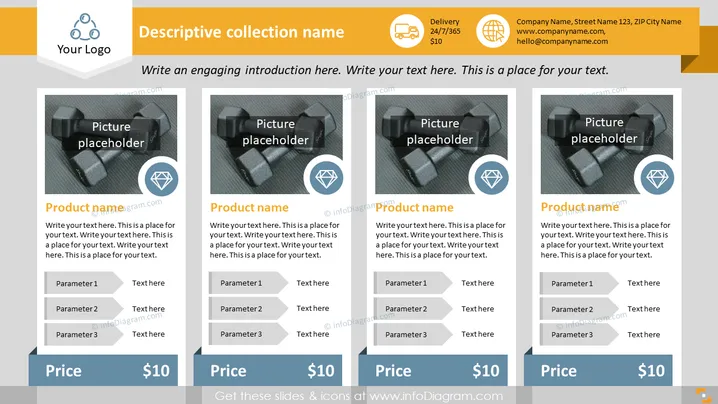
This PowerPoint slide is used for showcasing a collection of four products. Each product display includes a placeholder for an image, a space for the product's name, and a brief description area. Below this, there are three parameters, each with space for text, indicating customizable features or specifications of the product. The bottom part displays the price, suggesting the slide is intended to compare or detail product offerings, features, and pricing.
Graphical Look:
- Four rectangular image placeholders are evenly distributed across the slide.
- Each product section has a title space labeled "Product name" and a small description area beneath it.
- Price tags are visualized as banners at the bottom of each product section with the price "$10" prominently displayed.
- The overall color scheme is monochromatic with shades of grey, accented by blue and orange elements.
The slide has a professional and clean aesthetic, utilizing a structured layout to present information clearly. The use of icons and color highlights draws attention to key information.
Use Cases:
- To present a product catalog or portfolio to potential clients or stakeholders.
- As part of a sales presentation to highlight key products and their pricing.
- In internal meetings to discuss product features, updates, or pricing strategies.
- For trade shows or marketing materials where product information needs to be conveyed quickly and effectively.
How to Edit
How to edit text & colors

How to expand / shorten diagram

How to Replace Icons in infoDiagram PPT


