
Reviews
Sus gráficos añaden un toque agradable a mis presentaciones y recientemente los usé para una de mis reuniones generales. Su conjunto de herramientas añade profesionalismo a mis diapositivas. En lugar de usar imágenes prediseñadas estándar.
Necesitaba un aspecto fresco para algunas de mis diapositivas. Había intentado encontrar una forma de crear un efecto de pincel, de subrayar, acentuar, añadir algo de color y los marcadores escritos a mano fueron justo lo que necesitaba. Muy fácil de usar, fácil de ajustar el tamaño, cambiar el color. Fue una solución asequible y perfecta, y estoy feliz de recomendarla.
El aspecto nítido y limpio de los gráficos, y el hecho de que me permitiera editar y cambiar fácilmente los colores para que coincidieran con la plantilla fue mi principal razón para comprarlos.
Description
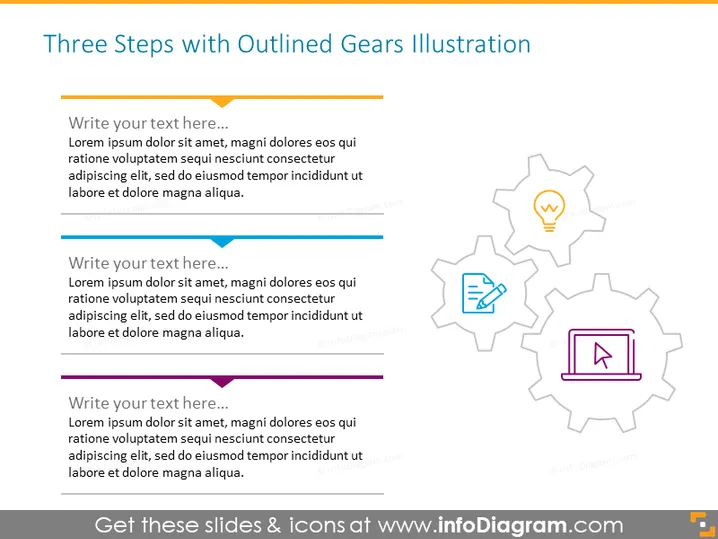
Three Steps with Outlined Gears Illustration
Slide Content
The slide presents a three-step process, each step associated with a gear, symbolizing interconnectivity and progression. The gears appear to have icons within them—a lightbulb, a document, and a cursor, indicating different stages like ideation, documentation, and execution. Each step has text placeholders for a detailed description, allowing for an expansion on concepts like innovation (lightbulb for new ideas), planning or analysis (document for strategies or data), and implementation (cursor for action or navigation).
Graphical Look
- A bold title in a large font size at the top.
- Three large gray outlines of interlocking gears positioned horizontally across the slide.
- Inside each gear, there's a smaller, solid icon:
- A lightbulb in the first gear suggesting creativity or an idea.
- A document in the second gear indicating record-keeping or analysis.
- A cursor in the third gear referencing action or selection.
- Text blocks with bullet points next to each gear for additional information.
- Horizontal colored bars serve as bullet points, with matching colors to the icons.
- The slide background is light, with a subtle gradient effect.
The slide utilizes a clean and professional design with a balance between graphical elements and text placeholders. The use of gears and distinct icons within them conveys a mechanical or systematic approach to a process or strategy.
Use Cases
- Outlining steps in a strategic business plan during a company meeting.
- Presenting phases of a project during a project management workshop.
- Using in training materials to describe a process flow or procedure.
- Showcasing sequences of operations in a product development cycle to investors or stakeholders.
How to Edit
How to edit text & colors

How to expand / shorten diagram

How to Replace Icons in infoDiagram PPT


