
Reviews
Your graphics add a nice touch to my presentations and I recently used them for one of my all-hands meetings. Your toolbox adds professionalism to my slides. Instead of using standard clipart.
I needed a fresh look at some of my slides. I've tried to find a way to create a paintbrush effect, to underline, accentuate, add some color and the handwritten markers were just the things. Very easy to use, easy to size, change the color. It was an affordable, perfect solution and I'm happy to recommend it.
The crisp, clean look of the graphics, and the fact that it allowed me to easily edit and change the colors to match the template was my main reason for purchasing them.
Description
Coffee Break Time
Slide Content
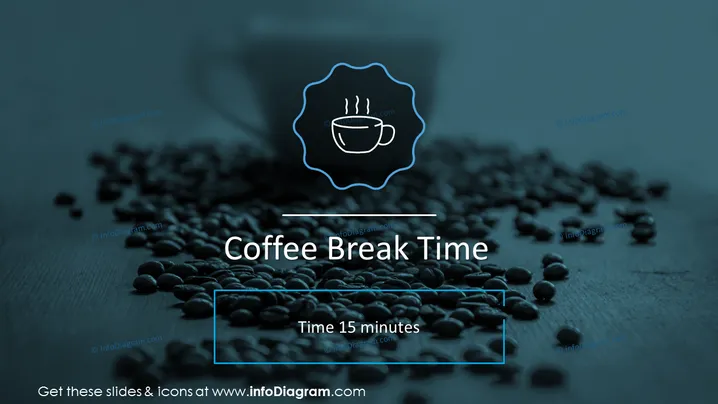
The slide announces a coffee break and indicates its duration. It simply reads "Coffee Break Time" and "Time 15 minutes," which means an intermission from a meeting or event for refreshments and informal conversation scheduled to last for fifteen minutes.
Graphical Look
- The background features a thematic image of scattered coffee beans on a surface, largely in focus with a gradual blur towards the bottom.
- At the top center, there is a stylized icon of a steaming cup of coffee enclosed in a decorative emblem.
- The title text "Coffee Break Time" is displayed prominently in large white font across the middle of the slide.
- Below the title, smaller text states "Time 15 minutes" indicating the length of the break.
- The slide's overall design and text are superimposed over the image with a bluish overlay, enhancing the visibility of white text.
The slide has a professional and calming visual aesthetic, with a selective color palette that emphasizes the coffee theme. The use of a high-contrast text over a thematic image ensures the information is clearly presented while maintaining a visually engaging background.
Use Cases
- To announce a scheduled break during a conference or seminar, allowing attendees to refresh themselves.
- In corporate training or long meetings, to indicate a pause for participants to stretch and take a break from the session.
- At workshops or educational events, as a visual cue for intermissions that can also serve to structure the agenda.
- During virtual meetings or webinars, to inform remote participants of a short recess for personal time.
How to Edit
How to edit text & colors

How to expand / shorten diagram

How to Replace Icons in infoDiagram PPT


