
Reviews
Sus gráficos añaden un toque agradable a mis presentaciones y recientemente los usé para una de mis reuniones generales. Su conjunto de herramientas añade profesionalismo a mis diapositivas. En lugar de usar imágenes prediseñadas estándar.
Necesitaba un aspecto fresco para algunas de mis diapositivas. Había intentado encontrar una forma de crear un efecto de pincel, de subrayar, acentuar, añadir algo de color y los marcadores escritos a mano fueron justo lo que necesitaba. Muy fácil de usar, fácil de ajustar el tamaño, cambiar el color. Fue una solución asequible y perfecta, y estoy feliz de recomendarla.
El aspecto nítido y limpio de los gráficos, y el hecho de que me permitiera editar y cambiar fácilmente los colores para que coincidieran con la plantilla fue mi principal razón para comprarlos.
Description
Cloud storage
Slide Content
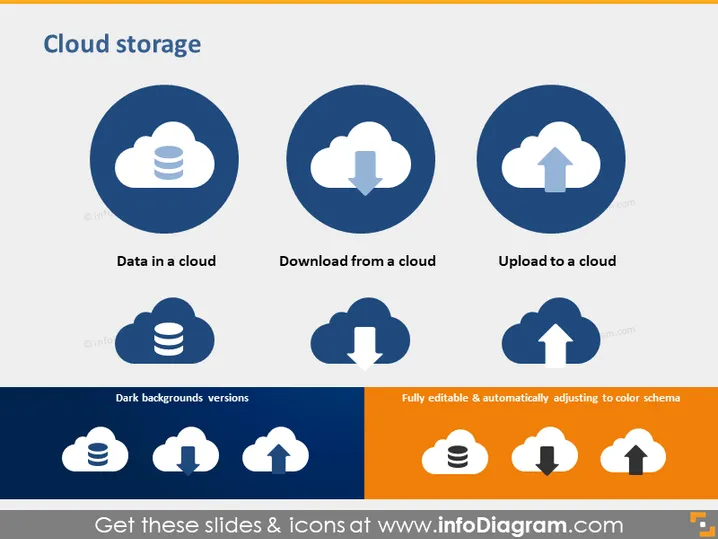
Cloud storage is the central theme of this slide. It features three main operations related to it: 'Data in a cloud' symbolizes storing data on remote servers accessible via the internet; 'Download from a cloud' illustrates retrieving data from the cloud to a local device; and 'Upload to a cloud' represents sending data from a local device to the cloud storage. Additionally, the slide indicates that there are versions of the icons for dark backgrounds and that the graphical elements are fully editable with an automatic color scheme adjustment.
Graphical Look
- Three large circles, each containing an icon, aligned horizontally in the upper half of the slide.
- Each circle is backed by a darker shade of blue, with the icons in white.
- Below each circle, a short descriptive phrase in white text matches the icon it refers to.
- Underneath the row of circles, there is a set of icons similar to those above but optimized for dark backgrounds.
- On the right, a rectangular box in orange highlights the editable nature of the icons and their adaptive color scheme.
- The slide uses a contrasting color palette with predominantly blue and orange tones.
The slide is clean and well-organized, using a consistent visual theme that emphasizes the cloud storage concept effectively. The contrast of colors and minimalistic design makes it easy to understand and visually appealing.
Use Cases
- Introducing the concept of cloud storage in a business meeting or training session.
- Explaining different cloud-related operations during a presentation on IT infrastructure or data management.
- Providing visual aids for a discussion on the benefits and procedures of cloud migration.
- Using the slide in marketing materials to showcase a company's cloud storage solutions and capabilities.
How to Edit
How to edit text & colors

How to expand / shorten diagram

How to Replace Icons in infoDiagram PPT


