
Reviews
Ihre Grafiken verleihen meinen Präsentationen eine nette Note, und ich habe sie kürzlich für eines meiner All-Hands-Meetings verwendet. Ihre Toolbox verleiht meinen Folien Professionalität, anstatt Standard-Clipart zu verwenden.
Ich brauchte einen neuen Blick auf einige meiner Folien. Ich habe versucht, einen Weg zu finden, einen Pinselschlag-Effekt zu erzielen, um zu unterstreichen, hervorzuheben, Farbe hinzuzufügen, und die handgeschriebenen Markierungen waren genau das Richtige. Sehr einfach zu bedienen, leicht in der Größe zu ändern, die Farbe zu ändern. Es war eine erschwingliche, perfekte Lösung und ich empfehle sie gerne weiter.
Die klare, saubere Optik der Grafiken und die Tatsache, dass ich die Farben leicht bearbeiten und an die Vorlage anpassen konnte, war mein Hauptgrund für den Kauf.
Description
Slide Title
Unfortunately, there is no slide title visible in the image provided. Without a slide title, I cannot complete the first line as instructed.
Slide Content
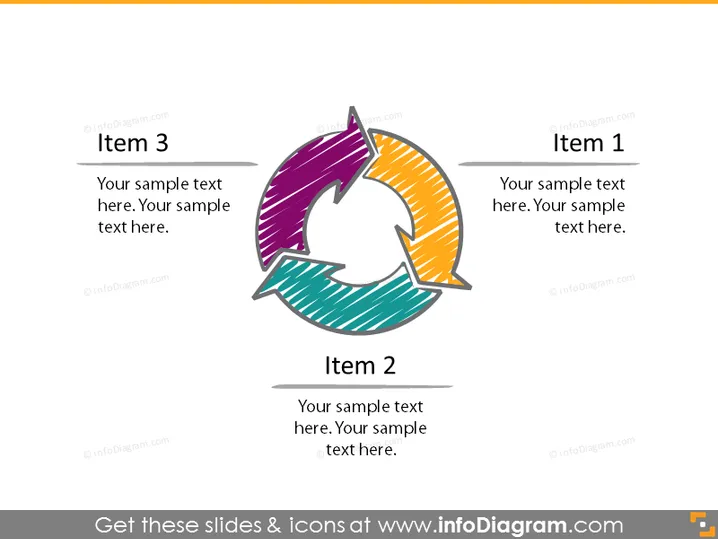
The slide appears to be emphasizing a cyclical process or a sequence of three interconnected steps or stages. Each item is labeled as "Item 1," "Item 2," and "Item 3," with accompanying placeholder text detailing where a user can insert their own content. This suggests that the slide is meant to convey a rotational flow or cycle, where each item represents a distinct step or phase that contributes to the whole. For instance, "Item 1" could denote the starting point of a process, "Item 2" could signify an intermediate step, and "Item 3" the final phase or outcome leading back to the beginning.
Graphical Look
- Three colored arrows form a circular motion: purple, orange, and teal, signifying a continuing process or cycle.
- Each arrow has a text box adjacent to it that correlates with the "Item" number.
- The bold, hand-drawn style of the arrows adds a dynamic and informal feel to the slide.
- The colors are bright and distinct, offering a noticeable contrast and helping to differentiate between the items.
The overall look of the slide is modern and vivid, with an emphasis on motion and interconnectivity. The use of colors and the circular arrangement effectively draw attention to the cyclical nature of the content.
Use Cases
- To illustrate a business process that involves repetitive or ongoing steps, like continuous improvement cycles.
- To describe phases in project management that loop back to the beginning, such as agile sprint cycles.
- For training materials to explain cycles such as the PDCA (Plan-Do-Check-Act) cycle.
- In marketing presentations, to show the lifecycle of a product or the customer journey that’s cyclical in nature.
How to Edit
How to edit text & colors

How to expand / shorten diagram

How to Replace Icons in infoDiagram PPT


