
Reviews
Ihre Grafiken verleihen meinen Präsentationen eine nette Note, und ich habe sie kürzlich für eines meiner All-Hands-Meetings verwendet. Ihre Toolbox verleiht meinen Folien Professionalität, anstatt Standard-Clipart zu verwenden.
Ich brauchte einen neuen Blick auf einige meiner Folien. Ich habe versucht, einen Weg zu finden, einen Pinselschlag-Effekt zu erzielen, um zu unterstreichen, hervorzuheben, Farbe hinzuzufügen, und die handgeschriebenen Markierungen waren genau das Richtige. Sehr einfach zu bedienen, leicht in der Größe zu ändern, die Farbe zu ändern. Es war eine erschwingliche, perfekte Lösung und ich empfehle sie gerne weiter.
Die klare, saubere Optik der Grafiken und die Tatsache, dass ich die Farben leicht bearbeiten und an die Vorlage anpassen konnte, war mein Hauptgrund für den Kauf.
Description
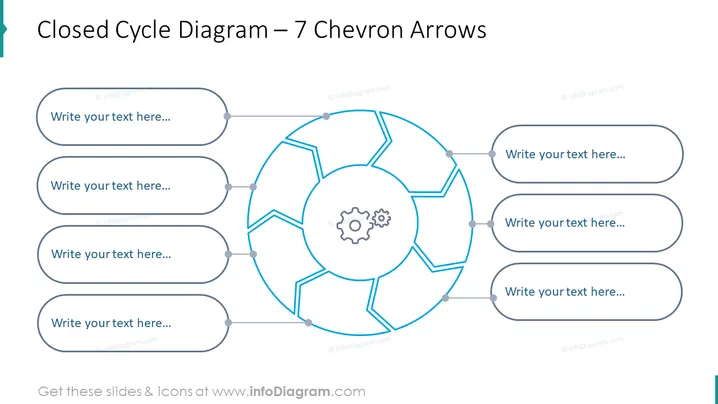
Closed Cycle Diagram – 7 Chevron Arrows
Slide Content
The slide presents a circular process flow diagram with seven segments, each connected by chevron arrows that suggest a continuous cycle. These segments are placeholders for text, allowing the presenter to describe each step in a process or a series of events that loop back to the beginning. The central gear icon implies that the cycle is driven by an underlying mechanism or system, denoting interconnectivity and ongoing motion within the process.
Graphical Look
- The slide's central feature is a large, circular diagram with chevron-shaped segments, forming a cohesive cycle.
- Each chevron arrow is linked to a rounded rectangular text box via a line with a circular node, intended for additional details.
- A gear icon is situated at the center of the circle, symbolizing the driving force or core of the cycle.
- The color scheme is a combination of light gray outlines for the text boxes and nodes, with bright blue for the chevron arrows and the connecting lines.
- The text boxes contain placeholder text "Write your text here..." in a gray sans-serif font.
The overall appearance of the slide is modern and professional, with a clean design that focuses on the circular flow of the diagram. The bright blue accents provide visual interest and guide the viewer's eye through the cycle.
Use Cases
- Illustrating the steps of a continuous business process or workflow, emphasizing how each phase leads to the next.
- Explaining iterative development cycles, like those seen in agile software development, where the process loops through several stages repeatedly.
- Demonstrating a value chain or supply chain where the end product feeds back into the starting point, showing a sustainable model.
- Teaching concepts of circular economy or closed-loop systems in an educational or environmental context.
How to Edit
How to edit text & colors

How to expand / shorten diagram

How to Replace Icons in infoDiagram PPT


