
Reviews
Ihre Grafiken verleihen meinen Präsentationen eine nette Note, und ich habe sie kürzlich für eines meiner All-Hands-Meetings verwendet. Ihre Toolbox verleiht meinen Folien Professionalität, anstatt Standard-Clipart zu verwenden.
Ich brauchte einen neuen Blick auf einige meiner Folien. Ich habe versucht, einen Weg zu finden, einen Pinselschlag-Effekt zu erzielen, um zu unterstreichen, hervorzuheben, Farbe hinzuzufügen, und die handgeschriebenen Markierungen waren genau das Richtige. Sehr einfach zu bedienen, leicht in der Größe zu ändern, die Farbe zu ändern. Es war eine erschwingliche, perfekte Lösung und ich empfehle sie gerne weiter.
Die klare, saubere Optik der Grafiken und die Tatsache, dass ich die Farben leicht bearbeiten und an die Vorlage anpassen konnte, war mein Hauptgrund für den Kauf.
Description
Clarity
Slide Content
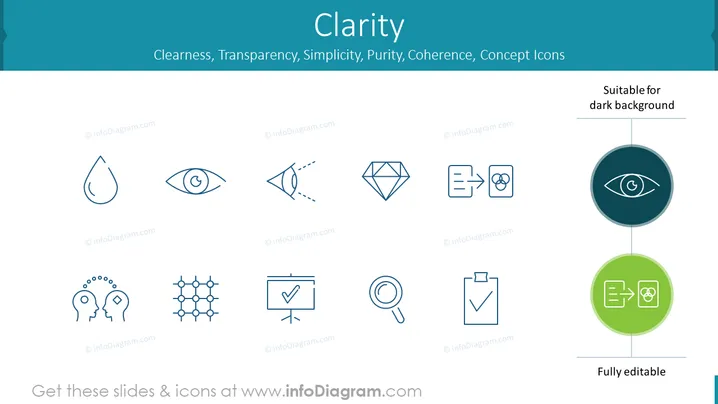
The PowerPoint slide is titled "Clarity" and includes subtopics like Cleanliness, Transparency, Simplicity, Purity, Coherence, all associated with concept icons. These icons symbolize the elements necessary for conveying clear and unambiguous information. Cleanliness might denote organization and lack of clutter; Transparency can infer openness and easy understanding; Simplicity highlights the importance of being straightforward; Purity could suggest a focus on the essential, without distractions; and Coherence emphasizes logical consistency within the presented information.
Graphical Look
- The slide has a light teal background color with a darker teal header and footer.
- The title "Clarity" appears in large, bold, dark blue text centered near the top of the slide.
- A series of words related to clarity are listed below the title, with a lighter blue color and smaller font.
- Nine stylized icons are aligned in a 3x3 grid format, each representing different abstract concepts related to the theme of clarity.
- The icons are minimalist and outlined in dark blue.
- On the right side, there is a vertical line dividing the slide, leading to a circle that says "Suitable for dark background," containing a highlighted example icon in a dark circle.
- At the bottom, there's another circular shape that's lime green, labeled "Fully editable" with two example icons inside.
The slide is clean, with a lot of white space around the icons, and it has a professional appearance. The icons are simple and modern, relying on line art to convey their respective concepts.
Use Cases
- To introduce a section on communication strategies in a business setting, emphasizing the importance of clarity.
- During a workshop on presentation skills, to illustrate the power of visual simplicity and coherence in slides.
- As a framework in user experience (UX) design presentations to underline the necessity for clear and intuitive user interfaces.
- In a brainstorming session to inspire a discussion on company values and culture, focusing on principles like transparency and purity in operations and interactions.
How to Edit
How to edit text & colors

How to expand / shorten diagram

How to Replace Icons in infoDiagram PPT


