
Reviews
Ihre Grafiken verleihen meinen Präsentationen eine nette Note, und ich habe sie kürzlich für eines meiner All-Hands-Meetings verwendet. Ihre Toolbox verleiht meinen Folien Professionalität, anstatt Standard-Clipart zu verwenden.
Ich brauchte einen neuen Blick auf einige meiner Folien. Ich habe versucht, einen Weg zu finden, einen Pinselschlag-Effekt zu erzielen, um zu unterstreichen, hervorzuheben, Farbe hinzuzufügen, und die handgeschriebenen Markierungen waren genau das Richtige. Sehr einfach zu bedienen, leicht in der Größe zu ändern, die Farbe zu ändern. Es war eine erschwingliche, perfekte Lösung und ich empfehle sie gerne weiter.
Die klare, saubere Optik der Grafiken und die Tatsache, dass ich die Farben leicht bearbeiten und an die Vorlage anpassen konnte, war mein Hauptgrund für den Kauf.
Description
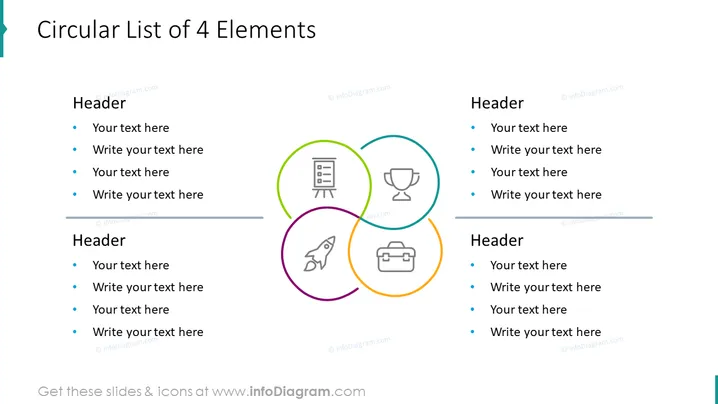
Circular List of 4 Elements
Slide Content
The slide titled "Circular List of 4 Elements" presents a structured layout designed for enumerating and explaining four key points or topics, each potentially having its own sub-header and descriptive text. The slide is divided into two main sections, each listing two elements with associated icons and placeholder text lines. The use of differing colors for each element's icon and text provides a visual distinction, aiding in the clear presentation of information to an audience.
Graphical Look
- A turquoise accent on the top left corner as part of the slide design
- The title "Circular List of 4 Elements" in bold, black font, centered at the top
- Two sets of text blocks, one on the left and one on the right side of the slide, each with a header in bold and four bullet points with placeholder text following
- Four colorful circular icons centrally placed and aligned horizontally: a green circle with a presentation board icon, a blue circle with a trophy icon, a purple circle with a rocket icon, and an orange circle with a briefcase icon
- The icons are connected in a circular pattern by colored lines that match the icons’ circles, forming a loop in the center of the slide
- Horizontal lines below each set of text blocks serving as dividers
The overall look of the slide is clean and modern, with a balanced layout of text and graphics that provides a visually engaging presentation format. The use of colorful icons and connectors creates a dynamic flow between the slide's elements, enhancing comprehensibility.
Use Cases
- Outlining components of a business strategy in a meeting or presentation
- Presenting the stages or elements of a project to a team or stakeholders
- Illustrating the key features of a product or service during a sales pitch
- Summarizing the main points of a training session or workshop for participants
How to Edit
How to edit text & colors

How to expand / shorten diagram

How to Replace Icons in infoDiagram PPT


