
Reviews
Ihre Grafiken verleihen meinen Präsentationen eine nette Note, und ich habe sie kürzlich für eines meiner All-Hands-Meetings verwendet. Ihre Toolbox verleiht meinen Folien Professionalität, anstatt Standard-Clipart zu verwenden.
Ich brauchte einen neuen Blick auf einige meiner Folien. Ich habe versucht, einen Weg zu finden, einen Pinselschlag-Effekt zu erzielen, um zu unterstreichen, hervorzuheben, Farbe hinzuzufügen, und die handgeschriebenen Markierungen waren genau das Richtige. Sehr einfach zu bedienen, leicht in der Größe zu ändern, die Farbe zu ändern. Es war eine erschwingliche, perfekte Lösung und ich empfehle sie gerne weiter.
Die klare, saubere Optik der Grafiken und die Tatsache, dass ich die Farben leicht bearbeiten und an die Vorlage anpassen konnte, war mein Hauptgrund für den Kauf.
Description
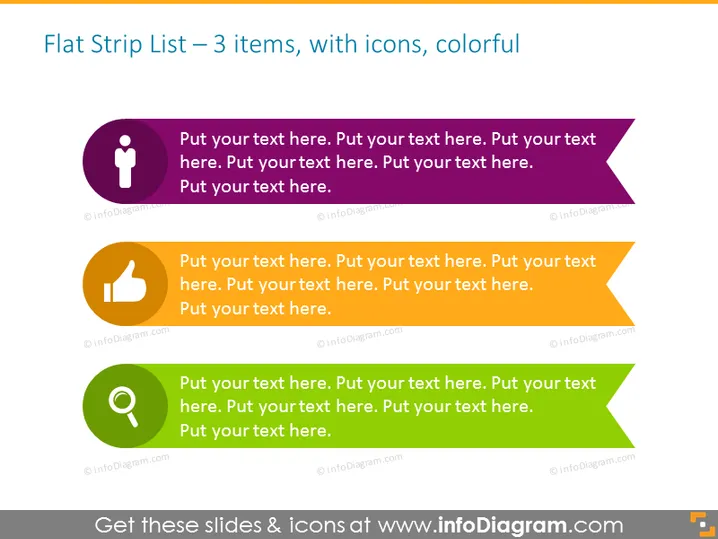
Flat Strip List – 3 items, with icons, colorful
Slide Content
This PowerPoint slide titled "Flat Strip List – 3 items, with icons, colorful" displays three separate colored banners, each with a distinctive icon and placeholder text for customization. The first banner is purple featuring a person icon indicating a user-focused topic. The second banner is orange with a thumbs-up icon emphasizing approval or success. The final banner is green displaying a magnifying glass icon, suggesting analysis or search functionality. Each banner space allows presenters to add supportive text relevant to the icon's theme.
Graphical Look
- Three horizontal banners stacked vertically with rounded corners.
- Each banner has a unique bold color: purple, orange, and green.
- To the left of every banner, there's a circular icon placeholder with a white pictogram:
- Top icon features a human silhouette.
- Middle icon is a thumbs-up.
- Bottom icon is a magnifying glass.
- Pointed shapes extend from the right side of the banners, suggesting a ribbon or bookmark style.
- Placeholder text in a sans-serif font is present in each banner.
The overall look of the slide is modern and minimalist, with a focus on color coding and clean iconography to categorize or emphasize different points or topics.
Use Cases
- Introducing three key concepts or pillars of a strategic plan during a business meeting.
- Highlighting a sequence of steps or achievements in a project update presentation.
- Summarizing the core features of a product in a marketing or sales pitch.
- Outlining three areas of focus for a team in a management or department briefing.
How to Edit
How to edit text & colors

How to expand / shorten diagram

How to Replace Icons in infoDiagram PPT


