
Reviews
Ihre Grafiken verleihen meinen Präsentationen eine nette Note, und ich habe sie kürzlich für eines meiner All-Hands-Meetings verwendet. Ihre Toolbox verleiht meinen Folien Professionalität, anstatt Standard-Clipart zu verwenden.
Ich brauchte einen neuen Blick auf einige meiner Folien. Ich habe versucht, einen Weg zu finden, einen Pinselschlag-Effekt zu erzielen, um zu unterstreichen, hervorzuheben, Farbe hinzuzufügen, und die handgeschriebenen Markierungen waren genau das Richtige. Sehr einfach zu bedienen, leicht in der Größe zu ändern, die Farbe zu ändern. Es war eine erschwingliche, perfekte Lösung und ich empfehle sie gerne weiter.
Die klare, saubere Optik der Grafiken und die Tatsache, dass ich die Farben leicht bearbeiten und an die Vorlage anpassen konnte, war mein Hauptgrund für den Kauf.
Description
Outline Loop Process with 4 Elements
Slide Content
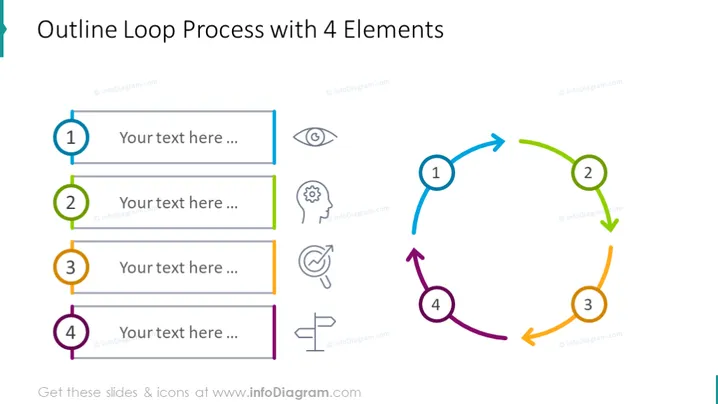
The PowerPoint slide titled "Outline Loop Process with 4 Elements" depicts a cyclical process comprising four steps. Each step is marked with a numbered circle and a colored element corresponding to an outlined arrow forming a loop, suggesting a continuous process. Icons adjacent to the step numbers indicate sensory or cognitive functions, such as vision, hearing, thought, and speech, implying that each step in the process might involve different senses or types of communication.
Graphical Look
- A large, bold title is centered at the top of the slide.
- Four numbered circles, each with a different color (blue, green, orange, purple), are connected by thick outlined arrows, forming a clockwise loop on the right side of the slide.
- There are four rectangular placeholders for text, each parallel to a corresponding numbered circle, for participants to add their own content.
- Next to each step number, there is a line icon symbolizing different senses or cognitive functions (e.g., eye for 'vision', ear for 'hearing').
- The colors of the rectangles and arrows match the colors of the circle numbers, giving a cohesive and organized appearance.
The slide is visually appealing and uses a circular flow diagram to illustrate a process that loops back to the beginning, making it easy to understand at a glance.
Use Cases
- Illustrating a continuous quality improvement cycle in a business process presentation.
- Explaining the iterative design process in a product development or user experience presentation.
- Describing steps in a customer feedback loop during a marketing strategy session.
- Presenting a scientific method or research cycle in an educational or academic context.
How to Edit
How to edit text & colors

How to expand / shorten diagram

How to Replace Icons in infoDiagram PPT


