
Reviews
Sus gráficos añaden un toque agradable a mis presentaciones y recientemente los usé para una de mis reuniones generales. Su conjunto de herramientas añade profesionalismo a mis diapositivas. En lugar de usar imágenes prediseñadas estándar.
Necesitaba un aspecto fresco para algunas de mis diapositivas. Había intentado encontrar una forma de crear un efecto de pincel, de subrayar, acentuar, añadir algo de color y los marcadores escritos a mano fueron justo lo que necesitaba. Muy fácil de usar, fácil de ajustar el tamaño, cambiar el color. Fue una solución asequible y perfecta, y estoy feliz de recomendarla.
El aspecto nítido y limpio de los gráficos, y el hecho de que me permitiera editar y cambiar fácilmente los colores para que coincidieran con la plantilla fue mi principal razón para comprarlos.
Description
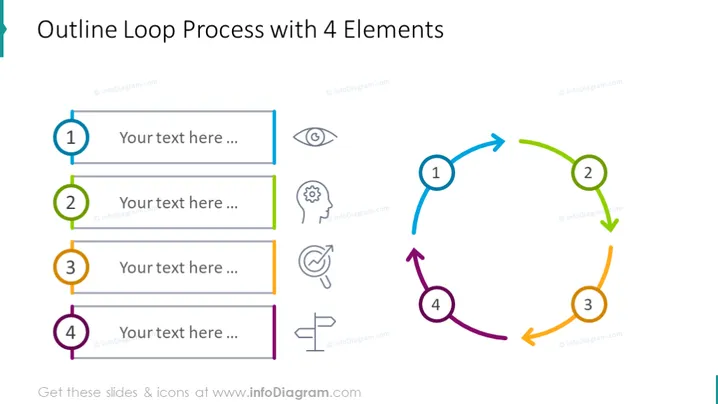
Outline Loop Process with 4 Elements
Slide Content
The PowerPoint slide titled "Outline Loop Process with 4 Elements" depicts a cyclical process comprising four steps. Each step is marked with a numbered circle and a colored element corresponding to an outlined arrow forming a loop, suggesting a continuous process. Icons adjacent to the step numbers indicate sensory or cognitive functions, such as vision, hearing, thought, and speech, implying that each step in the process might involve different senses or types of communication.
Graphical Look
- A large, bold title is centered at the top of the slide.
- Four numbered circles, each with a different color (blue, green, orange, purple), are connected by thick outlined arrows, forming a clockwise loop on the right side of the slide.
- There are four rectangular placeholders for text, each parallel to a corresponding numbered circle, for participants to add their own content.
- Next to each step number, there is a line icon symbolizing different senses or cognitive functions (e.g., eye for 'vision', ear for 'hearing').
- The colors of the rectangles and arrows match the colors of the circle numbers, giving a cohesive and organized appearance.
The slide is visually appealing and uses a circular flow diagram to illustrate a process that loops back to the beginning, making it easy to understand at a glance.
Use Cases
- Illustrating a continuous quality improvement cycle in a business process presentation.
- Explaining the iterative design process in a product development or user experience presentation.
- Describing steps in a customer feedback loop during a marketing strategy session.
- Presenting a scientific method or research cycle in an educational or academic context.
How to Edit
How to edit text & colors

How to expand / shorten diagram

How to Replace Icons in infoDiagram PPT


