
Reviews
Ihre Grafiken verleihen meinen Präsentationen eine nette Note, und ich habe sie kürzlich für eines meiner All-Hands-Meetings verwendet. Ihre Toolbox verleiht meinen Folien Professionalität, anstatt Standard-Clipart zu verwenden.
Ich brauchte einen neuen Blick auf einige meiner Folien. Ich habe versucht, einen Weg zu finden, einen Pinselschlag-Effekt zu erzielen, um zu unterstreichen, hervorzuheben, Farbe hinzuzufügen, und die handgeschriebenen Markierungen waren genau das Richtige. Sehr einfach zu bedienen, leicht in der Größe zu ändern, die Farbe zu ändern. Es war eine erschwingliche, perfekte Lösung und ich empfehle sie gerne weiter.
Die klare, saubere Optik der Grafiken und die Tatsache, dass ich die Farben leicht bearbeiten und an die Vorlage anpassen konnte, war mein Hauptgrund für den Kauf.
Description
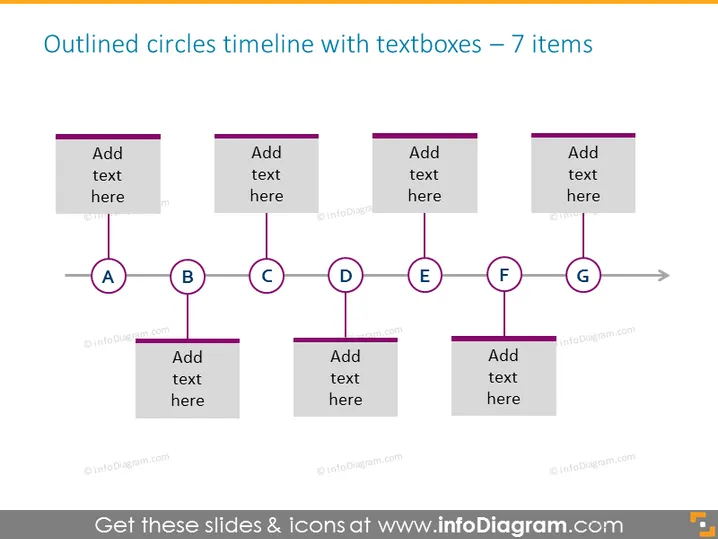
Outlined circles timeline with textboxes – 7 items
Slide Content
This PowerPoint slide represents a timeline with seven key stages, each denoted by an outlined circle labeled from A to G, which could correspond to steps in a process, chronological events, or significant milestones. Each circle is connected by a horizontal line that suggests a sequence or passage of time. Accompanying each circle is a textbox for additional information, providing space to describe each stage in detail or note important data relevant to that point in the timeline.
Graphical Look
- The slide uses a simple color scheme, primarily shades of gray and purple.
- There are seven outlined circles, labeled A through G, evenly distributed horizontally across the slide.
- Each circle is linked by a straight, horizontal line that runs along the bottom of the circles, creating a visual sense of continuity.
- Above each outlined circle is a corresponding textbox with a placeholder text "Add text here", which suggests the presenter can customize this area with relevant information.
- The textboxes have a solid background and sharp corners, offering a contrast to the round shapes of the circles.
- The arrow at the end of the line after the letter G suggests an ongoing process or additional steps to follow.
The slide has a clean and professional appearance, with a balanced layout that guides the viewer's eyes from left to right, following the progression of the timeline.
Use Cases
- Illustrating the phases of a project from initiation to completion in management meetings.
- Displaying historical events in a chronological sequence during educational presentations.
- Outlining the steps in a business process or a product development lifecycle.
- Highlighting key milestones in a company's growth or development strategy during investor updates.
How to Edit
How to edit text & colors

How to expand / shorten diagram

How to Replace Icons in infoDiagram PPT


