

Your graphics add a nice touch to my presentations and I recently used them for one of my all-hands meetings. Your toolbox adds professionalism to my slides. Instead of using standard clipart.
Claude Jones, Director of Engineer, @Walmartlabs, USA

Your graphics add a nice touch to my presentations and I recently used them for one of my all-hands meetings. Your toolbox adds professionalism to my slides. Instead of using standard clipart.
Claude Jones, Director of Engineer, @Walmartlabs, USA
I needed a fresh look at some of my slides. I've tried to find a way to create a paintbrush effect, to underline, accentuate, add some color and the handwritten markers were just the things. Very easy to use, easy to size, change the color. It was an affordable, perfect solution and I'm happy to recommend it.
Anonymous, US
The crisp, clean look of the graphics, and the fact that it allowed me to easily edit and change the colors to match the template was my main reason for purchasing them.
Brandie Jenkins, E-learning Developer, USA
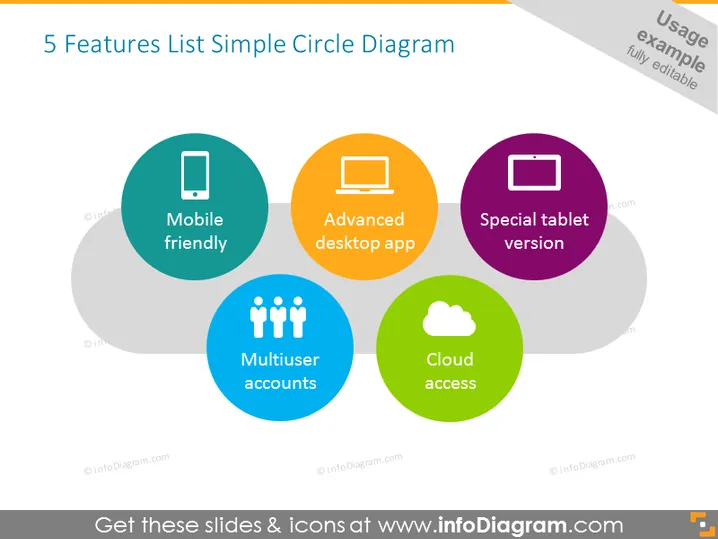
The provided PowerPoint slide highlights 5 key features of a product using a Simple Circle Diagram. "Mobile friendly" implies compatibility with smartphones, providing user convenience. "Advanced desktop app" suggests a robust application for desktop users, aimed at enhanced functionality. "Special tablet version" indicates a tailored version for tablet usage, optimizing the user experience. "Multiuser accounts" refers to the support for multiple users on a single platform, enhancing collaborative use. Lastly, "Cloud access" denotes easy access to services hosted on cloud infrastructure, promising availability and scalability.
The slide utilizes a clean and modern design aesthetic with colorful circles against a grey background to draw attention to key features. The simple iconography paired with brief descriptions provides an easy-to-understand summary of product attributes.



