
Reviews
Vos graphiques ajoutent une belle touche à mes présentations et je les ai récemment utilisés pour l'une de mes réunions générales. Votre boîte à outils ajoute du professionnalisme à mes diapositives. Au lieu d'utiliser des cliparts standards.
J'avais besoin d'un nouveau regard sur certaines de mes diapositives. J'ai essayé de trouver un moyen de créer un effet de pinceau, de souligner, d'accentuer, d'ajouter de la couleur et les marqueurs manuscrits étaient exactement ce qu'il fallait. Très facile à utiliser, facile à ajuster la taille, à changer la couleur. C'était une solution abordable et parfaite et je suis heureux de la recommander.
L'aspect net et épuré des graphiques, et le fait qu'il m'ait permis d'éditer et de changer facilement les couleurs pour les adapter au modèle, ont été les principales raisons de mon achat.
Description
Slide Title
Slide Content
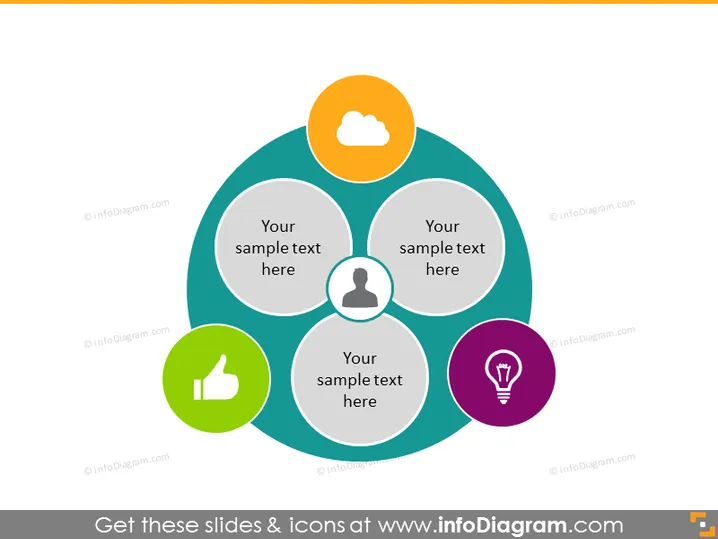
The PowerPoint slide presents a central idea interconnected with three related concepts. Each concept is represented as a sector within a larger circular diagram, and all three sectors converge at a central point, indicating a shared core between them. The concepts are labeled with placeholders, "Your sample text here," suggesting customization for specific content. Each sector also contains a distinct symbol—a cloud, a person silhouette, and a light bulb—indicating variability or a thematic significance to each corresponding concept.
Graphical Look
- A large circular diagram dominates the slide, comprising three interlocking circles of equal size, colored in shades of blue and green, with a central overlapping area where all circles intersect.
- Each circle has an associated icon placed within a smaller colored circle positioned just outside the main diagram: a yellow circle with a white cloud, a purple circle with a white light bulb, and a green circle with a white thumbs-up.
- Central to the diagram is a gray circular area where the three larger circles overlap, containing the text placeholder "Your sample text here."
- Outside of the main three circles, each sector has a designated area for additional text.
- The slide background is white, which makes the colorful diagram stand out.
The slide is visually balanced with a symmetrical design and uses a limited color palette for clarity. The icons are simple and universally recognizable, providing an easy means to represent abstract concepts.
Use Cases
- To visually describe the interrelationship between three key business concepts, such as marketing strategies, company values, or project pillars.
- For illustrating a core idea or theme that is underpinned by three supporting elements, useful in strategic business planning or proposal layouts.
- In educational or training settings, to depict the convergence of three domains of learning or categories of skills that support a central competency.
- As part of a pitch or presentation to highlight how different teams or departments contribute to a central organizational goal or objective.
How to Edit
How to edit text & colors

How to expand / shorten diagram

How to Replace Icons in infoDiagram PPT


