
Reviews
Ihre Grafiken verleihen meinen Präsentationen eine nette Note, und ich habe sie kürzlich für eines meiner All-Hands-Meetings verwendet. Ihre Toolbox verleiht meinen Folien Professionalität, anstatt Standard-Clipart zu verwenden.
Ich brauchte einen neuen Blick auf einige meiner Folien. Ich habe versucht, einen Weg zu finden, einen Pinselschlag-Effekt zu erzielen, um zu unterstreichen, hervorzuheben, Farbe hinzuzufügen, und die handgeschriebenen Markierungen waren genau das Richtige. Sehr einfach zu bedienen, leicht in der Größe zu ändern, die Farbe zu ändern. Es war eine erschwingliche, perfekte Lösung und ich empfehle sie gerne weiter.
Die klare, saubere Optik der Grafiken und die Tatsache, dass ich die Farben leicht bearbeiten und an die Vorlage anpassen konnte, war mein Hauptgrund für den Kauf.
Description
Slide Content
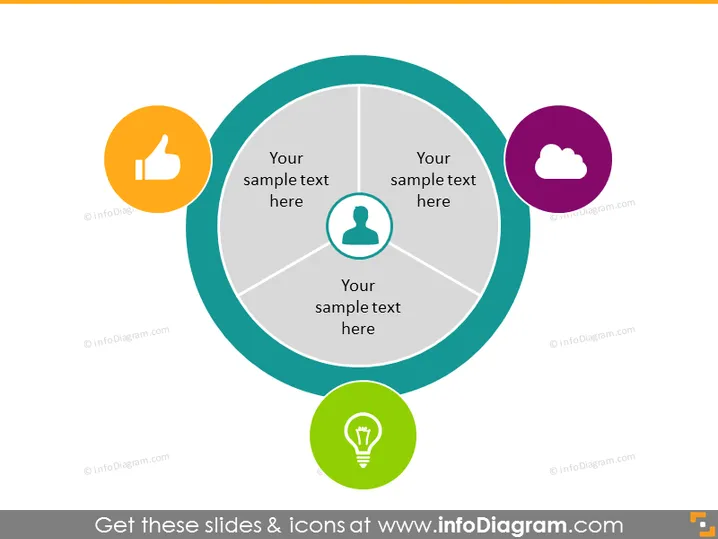
Your sample text here
The PowerPoint slide appears to be a template for presenting four related concepts or elements that are pivotal to a central idea. The sample text placeholders suggest that the slide is meant to be customized with specific information. Each segment of the circle is connected to a colorful icon, symbolizing a thumbs up, a user profile, a cloud, and a lightbulb, indicating different aspects like approval, user-centric approach, cloud computing, and ideas/inventions, respectively.
Graphical Look
- Central graphical element is a large grey circle divided into four equal segments.
- Each segment is connected to a differently colored circular iconn, adhered by a grey line.
- Four icons are used: a thumbs up in orange, a person profile in teal, a cloud in purple, and a lightbulb in lime green.
- Each icon is enclosed in a flat, circular shape with a slightly darker border.
- The text placeholders are centered in each segment of the grey circle.
- The background of the slide is white, providing contrast for the icons and text.
The overall look of the slide is modern and clean, with a professional use of color and iconography to visually support the presentation content.
Use Cases
- To present a business strategy that involves four key components.
- For showcasing a company's core values or pillars in a corporate presentation.
- When explaining different stages of product development or project phases.
- As an educational tool to describe four elements of a concept in training materials.
How to Edit
How to edit text & colors

How to expand / shorten diagram

How to Replace Icons in infoDiagram PPT


