
Reviews
Sus gráficos añaden un toque agradable a mis presentaciones y recientemente los usé para una de mis reuniones generales. Su conjunto de herramientas añade profesionalismo a mis diapositivas. En lugar de usar imágenes prediseñadas estándar.
Necesitaba un aspecto fresco para algunas de mis diapositivas. Había intentado encontrar una forma de crear un efecto de pincel, de subrayar, acentuar, añadir algo de color y los marcadores escritos a mano fueron justo lo que necesitaba. Muy fácil de usar, fácil de ajustar el tamaño, cambiar el color. Fue una solución asequible y perfecta, y estoy feliz de recomendarla.
El aspecto nítido y limpio de los gráficos, y el hecho de que me permitiera editar y cambiar fácilmente los colores para que coincidieran con la plantilla fue mi principal razón para comprarlos.
Description
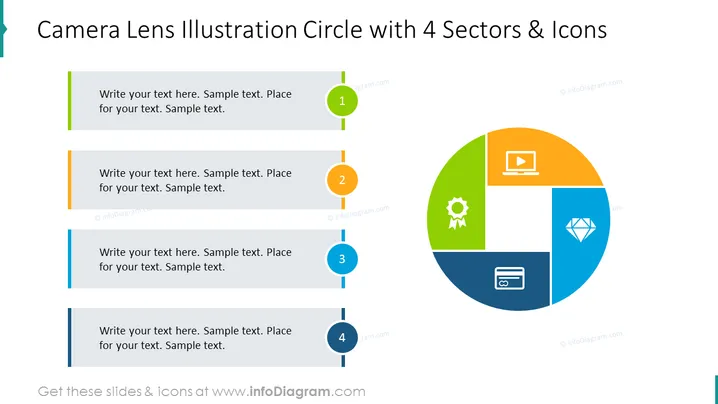
Camera Lens Illustration Circle with 4 Sectors & Icons
Slide Content
The slide appears to illustrate a model or strategy divided into four components, as represented by a segmented circle that resembles a camera lens. Each sector contains an icon: a laptop, a cogwheel, a diamond, and a mobile phone symbolizing different aspects or themes. Accompanying each segment is a numbered placeholder for text, suggesting that each icon is meant to have a corresponding descriptive text.
Graphical Look
- A large circle divided into four colored sectors is centrally placed on the slide, mimicking the appearance of a camera lens.
- Each sector is associated with a unique color—green, orange, blue, and dark blue—and contains a white icon (laptop, cogwheel, diamond, and mobile phone).
- To the left of the circle, there are four horizontal lines, each with a circle bullet that corresponds to the segment colors, and numbers 1-4.
- Each bullet point is aligned with a colored sidebar that provides a space to insert corresponding text for each sector.
The slide uses a clean and modern design with bright, contrasting colors to distinguish four distinct sections. Icons are simple and recognizable, catering to a visual representation of concepts.
Use Cases
- To present a business model or strategy with four key components.
- To describe the phases of a project or product development lifecycle.
- To outline the features or benefits of a product or service.
- To visualize the different marketing channels or customer segments.
How to Edit
How to edit text & colors

How to expand / shorten diagram

How to Replace Icons in infoDiagram PPT


