
Reviews
Ihre Grafiken verleihen meinen Präsentationen eine nette Note, und ich habe sie kürzlich für eines meiner All-Hands-Meetings verwendet. Ihre Toolbox verleiht meinen Folien Professionalität, anstatt Standard-Clipart zu verwenden.
Ich brauchte einen neuen Blick auf einige meiner Folien. Ich habe versucht, einen Weg zu finden, einen Pinselschlag-Effekt zu erzielen, um zu unterstreichen, hervorzuheben, Farbe hinzuzufügen, und die handgeschriebenen Markierungen waren genau das Richtige. Sehr einfach zu bedienen, leicht in der Größe zu ändern, die Farbe zu ändern. Es war eine erschwingliche, perfekte Lösung und ich empfehle sie gerne weiter.
Die klare, saubere Optik der Grafiken und die Tatsache, dass ich die Farben leicht bearbeiten und an die Vorlage anpassen konnte, war mein Hauptgrund für den Kauf.
Description
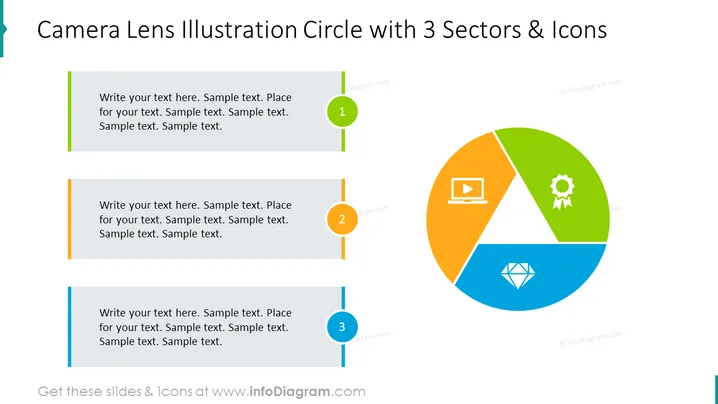
Camera Lens Illustration Circle with 3 Sectors & Icons
Slide Content
The slide presents a camera lens illustration that is split into three colored sections, each paired with an icon: a laptop for technology, a gear with a ribbon for settings or achievements, and a diamond shape for quality or value. Adjacent to each sector is a text box for additional information. This format suggests a breakdown of components or aspects that contribute to a central theme, symbolized by the camera lens, likely indicating focus, perspective, or an overview of a concept.
Graphical Look
- The central graphic is a large, three-part circle resembling a camera lens or pie chart, with bold colors: orange, green, and blue.
- Each segment of the lens contains a white icon that visually represents a concept: a laptop, a gear with a ribbon, and a diamond.
- To the left of the graphic, there are three rectangular text boxes for annotations, colored in gray with colored sidebars matching the lens segments they correspond to.
- Each text box has a colored circle with a number inside (1, 2, and 3), aligned with its respective lens segment's color and icon.
- The text boxes are connected to the graphic by a thin colored line, which enhances the correlation between the text and the circle.
The slide features a clean and modern design with bright, contrasting colors that draw the viewer's attention to the central graphic. The use of numbered elements and corresponding colors helps to create a cohesive visual flow from text to diagram.
Use Cases
- To illustrate a process or system with three interconnected components, explaining how each segment contributes to the whole.
- As a marketing tool to outline the three unique selling points or benefits of a product or service.
- In a business strategy presentation to display three pillars or foundational elements of the company's approach.
- During educational seminars to visually break down a complex concept into three digestible parts for the audience.
How to Edit
How to edit text & colors

How to expand / shorten diagram

How to Replace Icons in infoDiagram PPT


