
Reviews
Your graphics add a nice touch to my presentations and I recently used them for one of my all-hands meetings. Your toolbox adds professionalism to my slides. Instead of using standard clipart.
I needed a fresh look at some of my slides. I've tried to find a way to create a paintbrush effect, to underline, accentuate, add some color and the handwritten markers were just the things. Very easy to use, easy to size, change the color. It was an affordable, perfect solution and I'm happy to recommend it.
The crisp, clean look of the graphics, and the fact that it allowed me to easily edit and change the colors to match the template was my main reason for purchasing them.
Description
Title 1
Slide Content
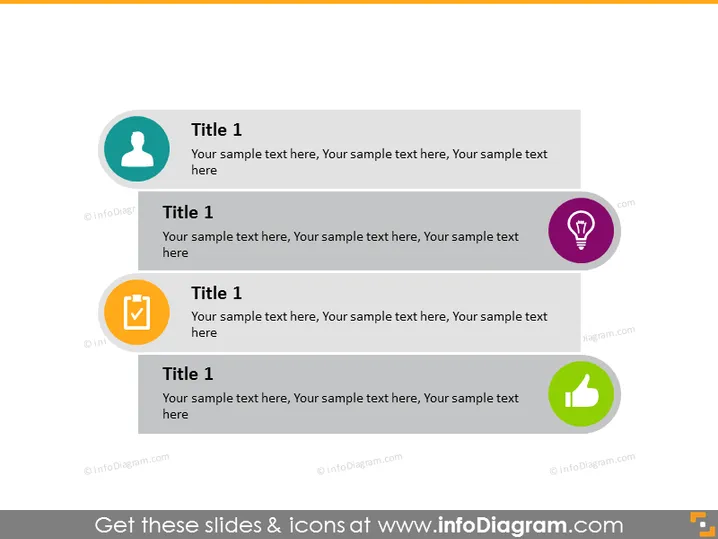
The slide is designed to present four separate but related topics or ideas, each accompanied by a title and descriptive text. Each topic is represented by an iconic symbol within a colored circle, such as a person silhouette, a light bulb, a checklist, and a thumbs-up—indicating people or profiling, innovation or ideas, tasks or approvals, and success or agreement, respectively.
Graphical Look
- Four circular icons with different background colors and symbols (teal with person silhouette, purple with light bulb, orange with checklist, and green with thumbs-up).
- Each icon is accompanied by a rectangular speech bubble containing the duplicated header "Title 1" and placeholder text for descriptions.
- The layout of the slide is structured with two icons placed side by side on both the top and bottom.
- Icons are visually balanced and spaced equally apart, creating a symmetric design.
- Neutral gray background that contrasts with the colorful icons.
The slide has a clean, modern design with a balanced layout that makes use of vibrant colors and universally recognized icons to quickly convey the theme of each topic.
Use Cases
- To outline various service offerings of a company, with each section detailing a different service.
- In educational settings to present four key points or principles of a subject or topic.
- During team meetings to highlight areas of performance, tasks, achievements, and goals.
- As a slide in a marketing presentation to showcase the advantages or features of a product.
How to Edit
How to edit text & colors

How to expand / shorten diagram

How to Replace Icons in infoDiagram PPT


