
Reviews
Ihre Grafiken verleihen meinen Präsentationen eine nette Note, und ich habe sie kürzlich für eines meiner All-Hands-Meetings verwendet. Ihre Toolbox verleiht meinen Folien Professionalität, anstatt Standard-Clipart zu verwenden.
Ich brauchte einen neuen Blick auf einige meiner Folien. Ich habe versucht, einen Weg zu finden, einen Pinselschlag-Effekt zu erzielen, um zu unterstreichen, hervorzuheben, Farbe hinzuzufügen, und die handgeschriebenen Markierungen waren genau das Richtige. Sehr einfach zu bedienen, leicht in der Größe zu ändern, die Farbe zu ändern. Es war eine erschwingliche, perfekte Lösung und ich empfehle sie gerne weiter.
Die klare, saubere Optik der Grafiken und die Tatsache, dass ich die Farben leicht bearbeiten und an die Vorlage anpassen konnte, war mein Hauptgrund für den Kauf.
Description
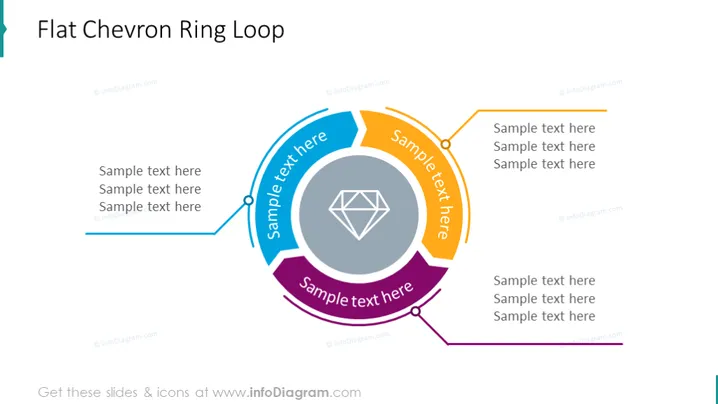
Flat Chevron Ring Loop
Slide Content
The slide presents a concept called "Flat Chevron Ring Loop," denoting a cyclical process or a series of interconnected steps. It consists of four chevron shapes creating a ring, with each chevron having space for text to explain the step or phase it represents. The chevrons are connected in a loop, indicating a continuous or iterative process where the end of one phase leads to the beginning of another.
Graphical Look
- The slide's background is plain white.
- The slide features a large circular diagram in the center, composed of four distinct chevron (arrow-like) shapes.
- Each chevron shape is filled with a different color—blue, purple, orange, and gray—arranged in a clockwise direction.
- There is a text box overlaid on each chevron with the label "Sample text here" in bold.
- Inside the loop formed by the chevrons is a gray icon resembling a multifaceted diamond or crystal.
- A line with a circular bullet point branches out from each chevron, leading to additional text boxes for supplemental information.
The design is modern and clean, using bold colors and easily identifiable shapes to distinguish different sections. Overall, the visual aesthetics are polished and professional, conveying clarity and structure.
Use Cases
- To illustrate a business process that is iterative or cyclical, such as quality assurance or continuous improvement cycles.
- For presentations that require explaining step-by-step stages in a project or workflow, with each stage leading to the next.
- In trainings or educational settings to break down a concept into its components for better understanding.
- During strategic planning sessions to visualize how different initiatives are interconnected, creating a holistic view of a strategy.
How to Edit
How to edit text & colors

How to expand / shorten diagram

How to Replace Icons in infoDiagram PPT


