
Reviews
Your graphics add a nice touch to my presentations and I recently used them for one of my all-hands meetings. Your toolbox adds professionalism to my slides. Instead of using standard clipart.
I needed a fresh look at some of my slides. I've tried to find a way to create a paintbrush effect, to underline, accentuate, add some color and the handwritten markers were just the things. Very easy to use, easy to size, change the color. It was an affordable, perfect solution and I'm happy to recommend it.
The crisp, clean look of the graphics, and the fact that it allowed me to easily edit and change the colors to match the template was my main reason for purchasing them.
Description
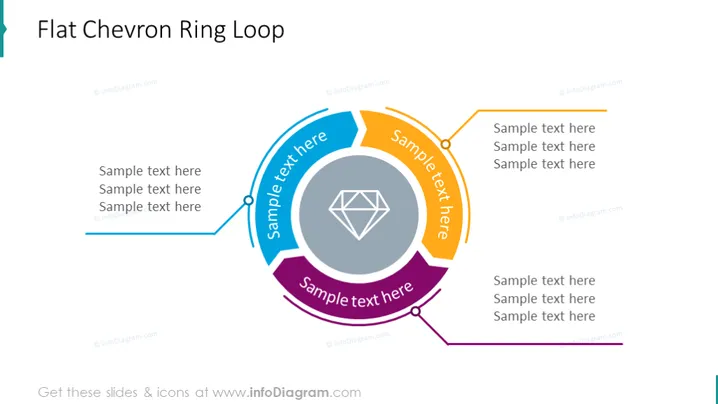
Flat Chevron Ring Loop
Slide Content
The slide presents a concept called "Flat Chevron Ring Loop," denoting a cyclical process or a series of interconnected steps. It consists of four chevron shapes creating a ring, with each chevron having space for text to explain the step or phase it represents. The chevrons are connected in a loop, indicating a continuous or iterative process where the end of one phase leads to the beginning of another.
Graphical Look
- The slide's background is plain white.
- The slide features a large circular diagram in the center, composed of four distinct chevron (arrow-like) shapes.
- Each chevron shape is filled with a different color—blue, purple, orange, and gray—arranged in a clockwise direction.
- There is a text box overlaid on each chevron with the label "Sample text here" in bold.
- Inside the loop formed by the chevrons is a gray icon resembling a multifaceted diamond or crystal.
- A line with a circular bullet point branches out from each chevron, leading to additional text boxes for supplemental information.
The design is modern and clean, using bold colors and easily identifiable shapes to distinguish different sections. Overall, the visual aesthetics are polished and professional, conveying clarity and structure.
Use Cases
- To illustrate a business process that is iterative or cyclical, such as quality assurance or continuous improvement cycles.
- For presentations that require explaining step-by-step stages in a project or workflow, with each stage leading to the next.
- In trainings or educational settings to break down a concept into its components for better understanding.
- During strategic planning sessions to visualize how different initiatives are interconnected, creating a holistic view of a strategy.
How to Edit
How to edit text & colors

How to expand / shorten diagram

How to Replace Icons in infoDiagram PPT


