
Reviews
Ihre Grafiken verleihen meinen Präsentationen eine nette Note, und ich habe sie kürzlich für eines meiner All-Hands-Meetings verwendet. Ihre Toolbox verleiht meinen Folien Professionalität, anstatt Standard-Clipart zu verwenden.
Ich brauchte einen neuen Blick auf einige meiner Folien. Ich habe versucht, einen Weg zu finden, einen Pinselschlag-Effekt zu erzielen, um zu unterstreichen, hervorzuheben, Farbe hinzuzufügen, und die handgeschriebenen Markierungen waren genau das Richtige. Sehr einfach zu bedienen, leicht in der Größe zu ändern, die Farbe zu ändern. Es war eine erschwingliche, perfekte Lösung und ich empfehle sie gerne weiter.
Die klare, saubere Optik der Grafiken und die Tatsache, dass ich die Farben leicht bearbeiten und an die Vorlage anpassen konnte, war mein Hauptgrund für den Kauf.
Description
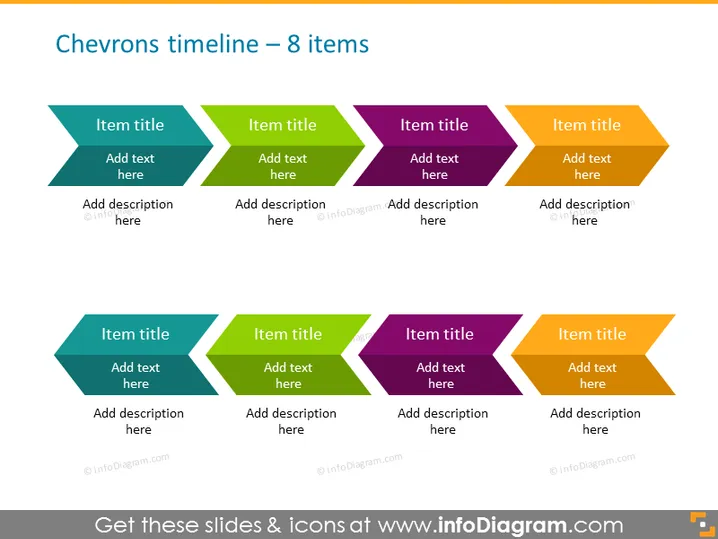
Chevrons timeline – 8 items
Slide Content
The PowerPoint slide titled "Chevrons timeline – 8 items" presents a sequential timeline layout with eight chevron shapes. Each chevron represents a step or item and has space for a title and description, indicating that the slide is used to depict a series of events, stages, or processes. This format is often employed in project planning, showing the progression of tasks, or outlining a strategy with its defining components.
Graphical Look
- The slide background is a light, smooth gradient ranging from top to bottom.
- There are eight chevron shapes evenly distributed across the slide in two rows, four chevrons per row.
- Each chevron has a different color, including shades of blue, green, purple, and yellow to distinguish between the steps easily.
- Within each chevron, lighter and darker shades of the main color are used to create a three-dimensional effect.
- The chevrons are arranged in a staggered format, creating a sense of progression from left to right across the slide.
- Text placeholders with "Item title" and "Add text here" are centrally aligned within each chevron, providing areas for customization.
- "Add description here" placeholders are positioned underneath each chevron for additional details about each step or item.
The slide has a clean and modern look with a clear visual progression implying a sequence or timeline. The use of varied colors helps to differentiate individual elements, making it easy to follow.
Use Cases
- To showcase the stages of a project from initiation to completion in a business proposal or progress report.
- In marketing presentations to outline the rollout plan for a new product or campaign.
- For summarizing the incremental changes or updates in a product development lifecycle during a stakeholder meeting.
- As a visual agenda or roadmap in strategic planning sessions, where each chevron represents a key point or objective.
How to Edit
How to edit text & colors

How to expand / shorten diagram

How to Replace Icons in infoDiagram PPT


