
Reviews
Your graphics add a nice touch to my presentations and I recently used them for one of my all-hands meetings. Your toolbox adds professionalism to my slides. Instead of using standard clipart.
I needed a fresh look at some of my slides. I've tried to find a way to create a paintbrush effect, to underline, accentuate, add some color and the handwritten markers were just the things. Very easy to use, easy to size, change the color. It was an affordable, perfect solution and I'm happy to recommend it.
The crisp, clean look of the graphics, and the fact that it allowed me to easily edit and change the colors to match the template was my main reason for purchasing them.
Description
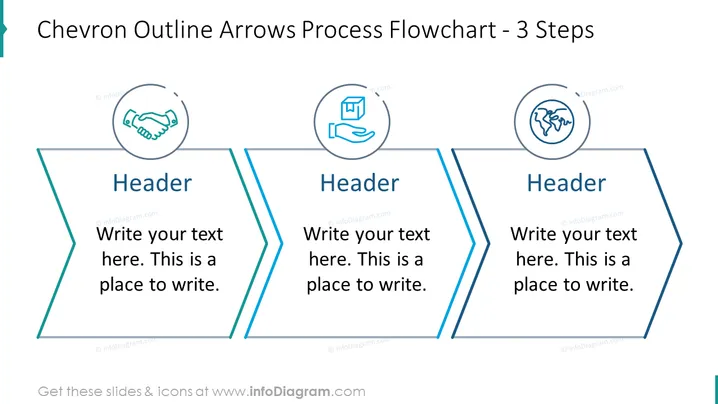
Chevron Outline Arrows Process Flowchart - 3 Steps
Slide Content
The slide presents a linear process flowchart composed of three steps delineated by chevron outline arrows. Each arrow contains an icon in a circular frame, a header, and placeholder text. The icons suggest thematic imagery for each step—a handshake for collaboration or agreement, an open book with a hand for education or learning, and a globe for global or international concepts.
Graphical Look
- Three large chevron arrows with a light blue outline, each arrow points to the right, indicating a sequential flow.
- The chevron arrows are connected to each other, emphasizing the progression from one step to the next.
- Each chevron contains a circular icon at the top: handshake, open book with hand, and globe, respectively.
- Below each icon, there is a bold header labeled "Header" for titling each step.
- Placeholder explanatory text under each header, inviting the user to add detailed descriptions.
- Overall, the slide has a clean, professional look with a limited color palette focusing on blue tones. The use of icons and bold headers within the chevrons creates a visually organized structure.
Use Cases
- To illustrate the phases of a project or business strategy during a corporate presentation.
- As an educational tool in workshops or seminars, outlining key learning or action steps.
- In marketing materials to describe the steps of a customer journey or sales process.
- For reporting progress and next steps in a team or stakeholder meeting.
How to Edit
How to edit text & colors

How to expand / shorten diagram

How to Replace Icons in infoDiagram PPT


