

Your graphics add a nice touch to my presentations and I recently used them for one of my all-hands meetings. Your toolbox adds professionalism to my slides. Instead of using standard clipart.
Claude Jones, Director of Engineer, @Walmartlabs, USA

Your graphics add a nice touch to my presentations and I recently used them for one of my all-hands meetings. Your toolbox adds professionalism to my slides. Instead of using standard clipart.
Claude Jones, Director of Engineer, @Walmartlabs, USA
I needed a fresh look at some of my slides. I've tried to find a way to create a paintbrush effect, to underline, accentuate, add some color and the handwritten markers were just the things. Very easy to use, easy to size, change the color. It was an affordable, perfect solution and I'm happy to recommend it.
Anonymous, US
The crisp, clean look of the graphics, and the fact that it allowed me to easily edit and change the colors to match the template was my main reason for purchasing them.
Brandie Jenkins, E-learning Developer, USA
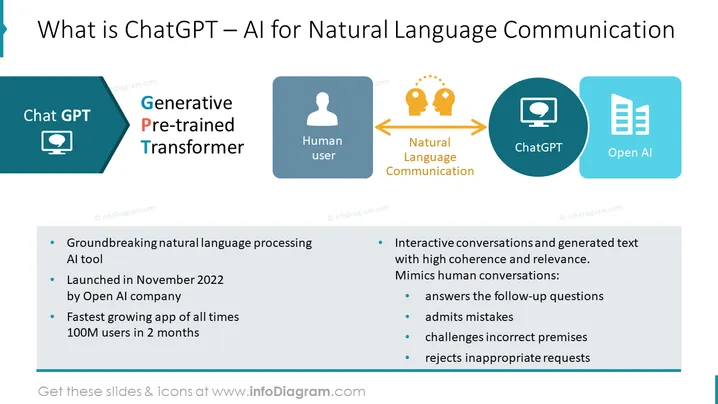
This PowerPoint slide introduces ChatGPT, an AI tool for natural language communication, addressing its capabilities and significance. It defines ChatGPT as a "Generative Pre-trained Transformer," revealing its groundbreaking nature in language processing and emphasizing its rapid user adoption. The tool interacts dynamically, simulating human-like conversations capable of coherent and contextually relevant dialogues. It can respond to follow-up questions, acknowledge errors, challenge inaccuracies, and deny unsuitable requests. This description indicates an advanced level of machine learning reflecting human conversational standards.
The overall look of the slide is clean, with a balanced mix of text and graphical elements. The color scheme is modern and professional, facilitating clear communication of the information.



