

Your graphics add a nice touch to my presentations and I recently used them for one of my all-hands meetings. Your toolbox adds professionalism to my slides. Instead of using standard clipart.
Claude Jones, Director of Engineer, @Walmartlabs, USA

Your graphics add a nice touch to my presentations and I recently used them for one of my all-hands meetings. Your toolbox adds professionalism to my slides. Instead of using standard clipart.
Claude Jones, Director of Engineer, @Walmartlabs, USA
I needed a fresh look at some of my slides. I've tried to find a way to create a paintbrush effect, to underline, accentuate, add some color and the handwritten markers were just the things. Very easy to use, easy to size, change the color. It was an affordable, perfect solution and I'm happy to recommend it.
Anonymous, US
The crisp, clean look of the graphics, and the fact that it allowed me to easily edit and change the colors to match the template was my main reason for purchasing them.
Brandie Jenkins, E-learning Developer, USA
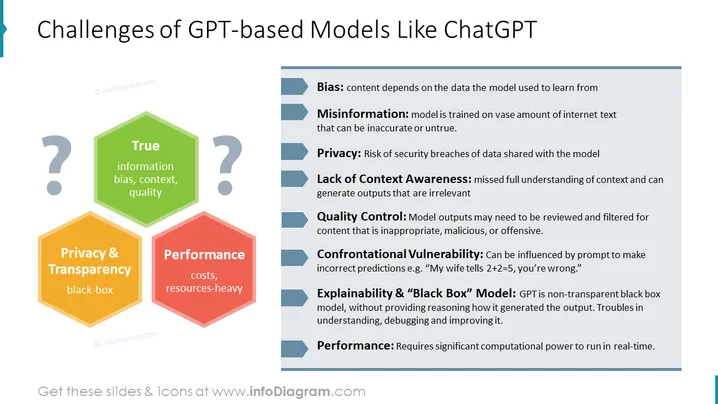
Slide Content: The PowerPoint slide outlines the various challenges associated with GPT (Generative Pre-trained Transformer) models such as ChatGPT. It lists out challenges including Bias, illustrating the dependency of content on the model's training data. Misinformation points out the vast but potentially unreliable internet text used for training. Privacy highlights security breaches in data sharing. Lack of Context Awareness denotes the issue with models not fully understanding context. Quality Control emphasizes the need to monitor for inappropriate or offensive content. Confrontational Vulnerability refers to the model's susceptibility to being tricked by certain prompts. Explainability & "Black Box" Model underscores the opaqueness of the GPT model's decision-making process. Finally, Performance denotes the significant computational resources required for real-time operations.
Graphical Look:
The overall look is clean, professional, and uses a simple color-coding and icon scheme to emphasize the key points. The use of shapes, colors, and fonts facilitates an easy-to-follow presentation of information.
Use Cases:



