
Reviews
Sus gráficos añaden un toque agradable a mis presentaciones y recientemente los usé para una de mis reuniones generales. Su conjunto de herramientas añade profesionalismo a mis diapositivas. En lugar de usar imágenes prediseñadas estándar.
Necesitaba un aspecto fresco para algunas de mis diapositivas. Había intentado encontrar una forma de crear un efecto de pincel, de subrayar, acentuar, añadir algo de color y los marcadores escritos a mano fueron justo lo que necesitaba. Muy fácil de usar, fácil de ajustar el tamaño, cambiar el color. Fue una solución asequible y perfecta, y estoy feliz de recomendarla.
El aspecto nítido y limpio de los gráficos, y el hecho de que me permitiera editar y cambiar fácilmente los colores para que coincidieran con la plantilla fue mi principal razón para comprarlos.
Description
Write your challenge title here
Slide Content
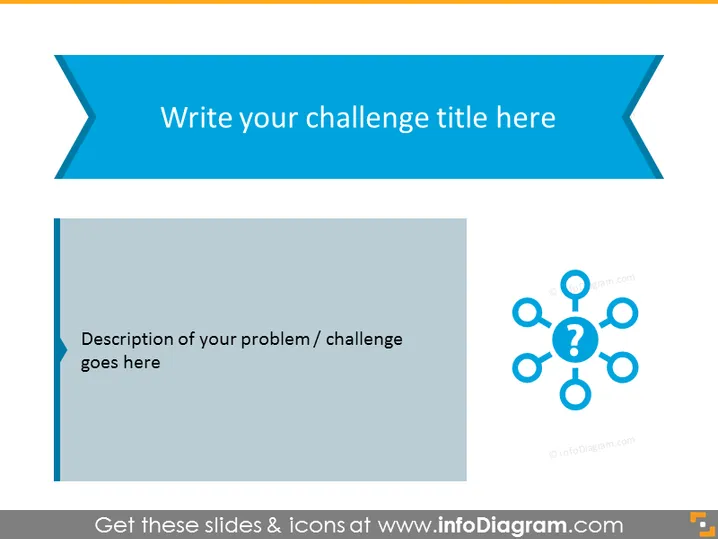
The PowerPoint slide is designed to present a specific challenge or problem. It offers a space for the title of the challenge at the top, and a detailed description is to be placed in the designated area. The slide leverages a visual representation in the form of a network with question marks, symbolizing the complexity and interconnected aspects of the issue at hand. This visual aid is potentially useful for breaking down the challenge into sub-components and prompting an in-depth discussion.
Graphical Look
- The slide has a wide banner at the top with a ribbon shape in a shade of blue.
- "Write your challenge title here" is the placeholder text for the title, centered within the blue ribbon banner.
- A vertical light gray rectangle on the left side contains placeholder text "Description of your problem / challenge goes here," intended for a detailed description of the issue.
- On the right side, there is a graphic comprising a central circle linked to six surrounding nodes, each with a question mark, forming a sort of diagram or network.
- The slide background is white which contrasts with the blue and gray elements and helps in maintaining visual clarity.
The overall look of the slide is clean and professional, employing a limited color palette to direct attention towards the content. The use of shapes and icons is minimalistic, fostering an environment conducive to focus and discussion.
Use Cases
- To define and explore a complex problem during a business strategy meeting.
- As part of a brainstorming session to address a specific challenge in project management.
- When presenting to stakeholders to highlight key issues and engage in solution-finding conversations.
- In educational settings, such as workshops or seminars, to introduce case study challenges.
How to Edit
How to edit text & colors

How to expand / shorten diagram

How to Replace Icons in infoDiagram PPT


