
Reviews
Ihre Grafiken verleihen meinen Präsentationen eine nette Note, und ich habe sie kürzlich für eines meiner All-Hands-Meetings verwendet. Ihre Toolbox verleiht meinen Folien Professionalität, anstatt Standard-Clipart zu verwenden.
Ich brauchte einen neuen Blick auf einige meiner Folien. Ich habe versucht, einen Weg zu finden, einen Pinselschlag-Effekt zu erzielen, um zu unterstreichen, hervorzuheben, Farbe hinzuzufügen, und die handgeschriebenen Markierungen waren genau das Richtige. Sehr einfach zu bedienen, leicht in der Größe zu ändern, die Farbe zu ändern. Es war eine erschwingliche, perfekte Lösung und ich empfehle sie gerne weiter.
Die klare, saubere Optik der Grafiken und die Tatsache, dass ich die Farben leicht bearbeiten und an die Vorlage anpassen konnte, war mein Hauptgrund für den Kauf.
Description
Write your challenge title here
Slide Content
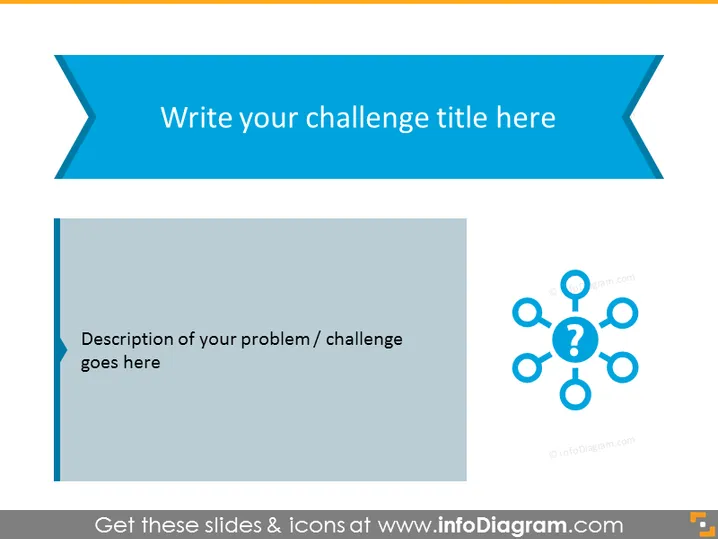
The PowerPoint slide is designed to present a specific challenge or problem. It offers a space for the title of the challenge at the top, and a detailed description is to be placed in the designated area. The slide leverages a visual representation in the form of a network with question marks, symbolizing the complexity and interconnected aspects of the issue at hand. This visual aid is potentially useful for breaking down the challenge into sub-components and prompting an in-depth discussion.
Graphical Look
- The slide has a wide banner at the top with a ribbon shape in a shade of blue.
- "Write your challenge title here" is the placeholder text for the title, centered within the blue ribbon banner.
- A vertical light gray rectangle on the left side contains placeholder text "Description of your problem / challenge goes here," intended for a detailed description of the issue.
- On the right side, there is a graphic comprising a central circle linked to six surrounding nodes, each with a question mark, forming a sort of diagram or network.
- The slide background is white which contrasts with the blue and gray elements and helps in maintaining visual clarity.
The overall look of the slide is clean and professional, employing a limited color palette to direct attention towards the content. The use of shapes and icons is minimalistic, fostering an environment conducive to focus and discussion.
Use Cases
- To define and explore a complex problem during a business strategy meeting.
- As part of a brainstorming session to address a specific challenge in project management.
- When presenting to stakeholders to highlight key issues and engage in solution-finding conversations.
- In educational settings, such as workshops or seminars, to introduce case study challenges.
How to Edit
How to edit text & colors

How to expand / shorten diagram

How to Replace Icons in infoDiagram PPT


