
Reviews
Your graphics add a nice touch to my presentations and I recently used them for one of my all-hands meetings. Your toolbox adds professionalism to my slides. Instead of using standard clipart.
I needed a fresh look at some of my slides. I've tried to find a way to create a paintbrush effect, to underline, accentuate, add some color and the handwritten markers were just the things. Very easy to use, easy to size, change the color. It was an affordable, perfect solution and I'm happy to recommend it.
The crisp, clean look of the graphics, and the fact that it allowed me to easily edit and change the colors to match the template was my main reason for purchasing them.
Description
Challenge Identification for the Potential AI Project
Slide Content
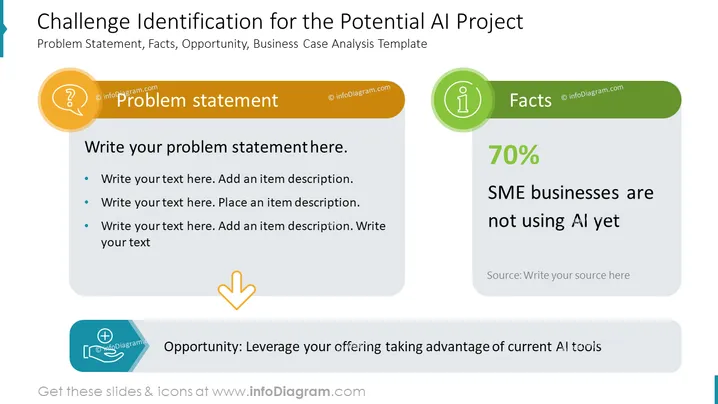
This PowerPoint slide presents a structured approach to identifying challenges for a potential AI project. The slide title suggests that it is about problem statement, facts, and opportunity related to a business case analysis for AI. The "Problem statement" section allows the presenter to elucidate the issue at hand, prompting for specifics to be written down. The "Facts" section showcases a statistic that 70% of SME businesses are not using AI yet, indicating a potential market or a problem area. Lastly, the "Opportunity" section encourages the presentation of a strategic action to leverage the situation by taking advantage of current AI tools.
Graphical Look
- The slide has a clean, professional design with a white background and three distinct content sections, each with its own icon.
- The title is prominent at the top in large blue font.
- On the left, a circular orange icon featuring a question mark introduces the "Problem statement" section with a golden background.
- The middle section displays a statistic "70%" in a large font size, emphasizing its importance, with a green banner headlined "Facts" featuring an 'information' icon.
- The right section introduces "Opportunity" with a blue tab and an icon representing a hand holding a gear, symbolizing strategy or solution.
- A bold downward-pointing arrow connects the "Problem statement" to the "Opportunity," suggesting a logical progression.
The overall look of the slide is polished and infographic-like, with clear visual differentiation between elements. The color coding and icons are used effectively to guide the viewer's attention through the problem-solving process.
Use Cases
- Introducing a business case for adopting AI in SME businesses during a strategic meeting.
- Explaining potential areas of improvement in current business operations to stakeholders.
- Highlighting the market gap in AI usage for investment pitches to potential investors.
- Facilitating a workshop session focused on identifying business opportunities through AI technology.
How to Edit
How to edit text & colors

How to expand / shorten diagram

How to Replace Icons in infoDiagram PPT


