
Reviews
Sus gráficos añaden un toque agradable a mis presentaciones y recientemente los usé para una de mis reuniones generales. Su conjunto de herramientas añade profesionalismo a mis diapositivas. En lugar de usar imágenes prediseñadas estándar.
Necesitaba un aspecto fresco para algunas de mis diapositivas. Había intentado encontrar una forma de crear un efecto de pincel, de subrayar, acentuar, añadir algo de color y los marcadores escritos a mano fueron justo lo que necesitaba. Muy fácil de usar, fácil de ajustar el tamaño, cambiar el color. Fue una solución asequible y perfecta, y estoy feliz de recomendarla.
El aspecto nítido y limpio de los gráficos, y el hecho de que me permitiera editar y cambiar fácilmente los colores para que coincidieran con la plantilla fue mi principal razón para comprarlos.
Description
Challenge title - details
Slide Content
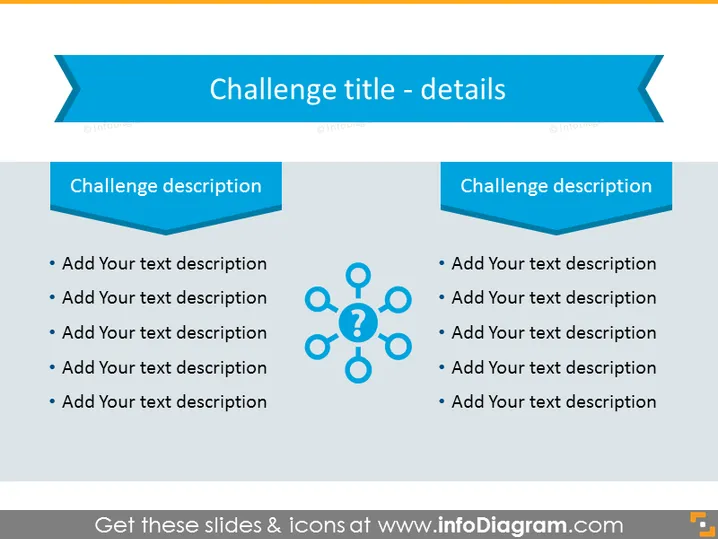
The slide is intended to detail a particular challenge by dividing the information into two main sections, each headed by "Challenge description." In these sections, bullet points are available to add text descriptions, which allow for an elaboration on specific aspects of the challenge being discussed. This structure is geared toward breaking down complex information into manageable parts for easier comprehension and discussion.
Graphical Look
-
The slide background is a clear, bright blue shade.
-
The title "Challenge title - details" is prominent at the top in large, bold, white font.
-
Two symmetrical ribbon banner shapes hold the title, giving it a distinguished, standout effect.
-
Below the title are two deep blue, 3D-styled boxes, each labeled "Challenge description" in white text, adding depth and focus to the section headings.
-
Each description box is accompanied by five bullet points, suggesting a list format for adding detailed information.
-
To the right of the left description box is a graphic composed of circles and connecting lines, centered around a question mark, symbolizing a network or a system with a central query or issue.
The overall slide design is clean, with bold color contrasts of blue, white, and a touch of orange for the question mark. The two toned blue colors and the 3D effect put forward a professional and modern aesthetic.
Use Cases
-
To present the specifics of a project challenge or problem that requires attention during business or project meetings.
-
To brainstorm potential solutions to a challenge by outlining the various aspects of the issue.
-
Within educational or training sessions, to explain complex subjects by breaking them down into more digestible parts.
-
As a tool for strategic planning or analysis meetings to assess risks and outline opportunities associated with business challenges.
How to Edit
How to edit text & colors

How to expand / shorten diagram

How to Replace Icons in infoDiagram PPT


