
Reviews
Ihre Grafiken verleihen meinen Präsentationen eine nette Note, und ich habe sie kürzlich für eines meiner All-Hands-Meetings verwendet. Ihre Toolbox verleiht meinen Folien Professionalität, anstatt Standard-Clipart zu verwenden.
Ich brauchte einen neuen Blick auf einige meiner Folien. Ich habe versucht, einen Weg zu finden, einen Pinselschlag-Effekt zu erzielen, um zu unterstreichen, hervorzuheben, Farbe hinzuzufügen, und die handgeschriebenen Markierungen waren genau das Richtige. Sehr einfach zu bedienen, leicht in der Größe zu ändern, die Farbe zu ändern. Es war eine erschwingliche, perfekte Lösung und ich empfehle sie gerne weiter.
Die klare, saubere Optik der Grafiken und die Tatsache, dass ich die Farben leicht bearbeiten und an die Vorlage anpassen konnte, war mein Hauptgrund für den Kauf.
Description
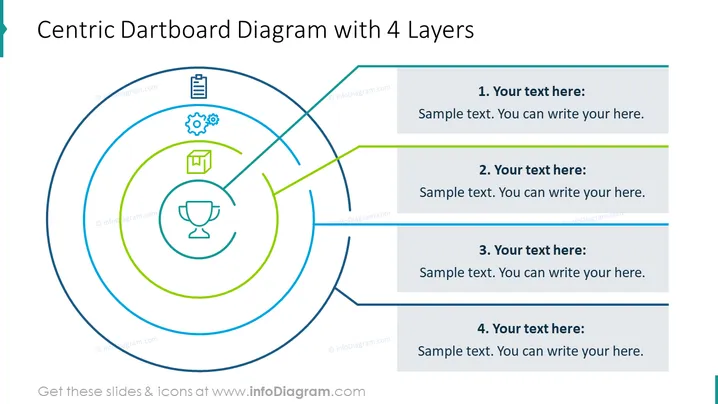
Centric Dartboard Diagram with 4 Layers
Slide Content
The slide presents a "Centric Dartboard Diagram with 4 Layers" which visually represents a central goal or objective and successive layers or components that contribute to this goal. Each layer is connected to a text box with a sample placeholder for additional explanation. The first layer is represented by a trophy icon, indicating perhaps a final outcome or reward. As the layers radiate outward, they could represent different stages or aspects of a strategy or plan.
Graphical Look
- A large dartboard-like circular diagram dominating the left side of the slide, with four concentric circles.
- Each concentric circle is a different color, creating a visual hierarchy.
- Thin lines extend from each circular layer to the right side of the slide, ending at rectangular text boxes.
- Four labeled rectangular text boxes are aligned vertically on the right side, each with a heading and placeholder text.
- Icons are placed within the circles on the left side, representing different concepts or ideas: a trophy, a document, gears, and a square academic cap.
- Colors of lines and text boxes coordinate with the circle they are associated with.
The slide has a clean and modern graphical look with a well-organized structure that facilitates ease of interpretation. The use of contrasting colors and icons within the concentric circles creates a visual distinction between the layers.
Use Cases
- Illustrating the breakdown of a strategic plan into individual objectives or actions.
- Presenting the layers of complexity in a project, with each layer representing a different stage or element.
- Using in educational settings to describe levels of mastery or curriculum layers.
- Incorporating into sales presentations to delineate the layers of customer experience or product features.
How to Edit
How to edit text & colors

How to expand / shorten diagram

How to Replace Icons in infoDiagram PPT


