
Reviews
Sus gráficos añaden un toque agradable a mis presentaciones y recientemente los usé para una de mis reuniones generales. Su conjunto de herramientas añade profesionalismo a mis diapositivas. En lugar de usar imágenes prediseñadas estándar.
Necesitaba un aspecto fresco para algunas de mis diapositivas. Había intentado encontrar una forma de crear un efecto de pincel, de subrayar, acentuar, añadir algo de color y los marcadores escritos a mano fueron justo lo que necesitaba. Muy fácil de usar, fácil de ajustar el tamaño, cambiar el color. Fue una solución asequible y perfecta, y estoy feliz de recomendarla.
El aspecto nítido y limpio de los gráficos, y el hecho de que me permitiera editar y cambiar fácilmente los colores para que coincidieran con la plantilla fue mi principal razón para comprarlos.
Description
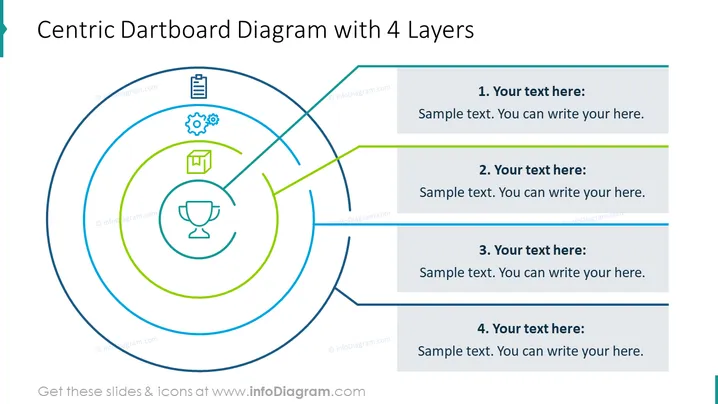
Centric Dartboard Diagram with 4 Layers
Slide Content
The slide presents a "Centric Dartboard Diagram with 4 Layers" which visually represents a central goal or objective and successive layers or components that contribute to this goal. Each layer is connected to a text box with a sample placeholder for additional explanation. The first layer is represented by a trophy icon, indicating perhaps a final outcome or reward. As the layers radiate outward, they could represent different stages or aspects of a strategy or plan.
Graphical Look
- A large dartboard-like circular diagram dominating the left side of the slide, with four concentric circles.
- Each concentric circle is a different color, creating a visual hierarchy.
- Thin lines extend from each circular layer to the right side of the slide, ending at rectangular text boxes.
- Four labeled rectangular text boxes are aligned vertically on the right side, each with a heading and placeholder text.
- Icons are placed within the circles on the left side, representing different concepts or ideas: a trophy, a document, gears, and a square academic cap.
- Colors of lines and text boxes coordinate with the circle they are associated with.
The slide has a clean and modern graphical look with a well-organized structure that facilitates ease of interpretation. The use of contrasting colors and icons within the concentric circles creates a visual distinction between the layers.
Use Cases
- Illustrating the breakdown of a strategic plan into individual objectives or actions.
- Presenting the layers of complexity in a project, with each layer representing a different stage or element.
- Using in educational settings to describe levels of mastery or curriculum layers.
- Incorporating into sales presentations to delineate the layers of customer experience or product features.
How to Edit
How to edit text & colors

How to expand / shorten diagram

How to Replace Icons in infoDiagram PPT


