
Reviews
Ihre Grafiken verleihen meinen Präsentationen eine nette Note, und ich habe sie kürzlich für eines meiner All-Hands-Meetings verwendet. Ihre Toolbox verleiht meinen Folien Professionalität, anstatt Standard-Clipart zu verwenden.
Ich brauchte einen neuen Blick auf einige meiner Folien. Ich habe versucht, einen Weg zu finden, einen Pinselschlag-Effekt zu erzielen, um zu unterstreichen, hervorzuheben, Farbe hinzuzufügen, und die handgeschriebenen Markierungen waren genau das Richtige. Sehr einfach zu bedienen, leicht in der Größe zu ändern, die Farbe zu ändern. Es war eine erschwingliche, perfekte Lösung und ich empfehle sie gerne weiter.
Die klare, saubere Optik der Grafiken und die Tatsache, dass ich die Farben leicht bearbeiten und an die Vorlage anpassen konnte, war mein Hauptgrund für den Kauf.
Description
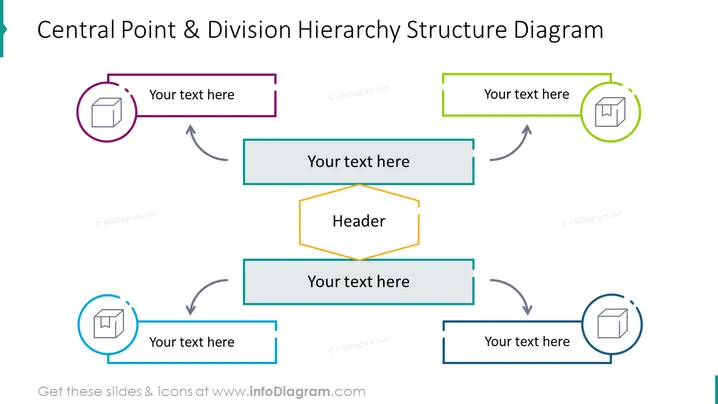
Central Point & Division Hierarchy Structure Diagram
Slide Content
The diagram illustrates a hierarchy with a central 'Header' concept and four divisions branching out. Each branch has a placeholder for text and is associated with an icon. The arrows indicate a flow of information or relationship. This type of diagram could be used to represent organizational structures, workflow processes, or any system where a central idea or function branches out into several divisions. The divisional aspects, represented here by empty text boxes, are crucial parts of the whole, each potentially representing different departments, tasks, or concepts that feed into the central idea.
Graphical Look
- The slide features a colorful hierarchy structure diagram.
- A bold, capitalized title at the top: "Central Point & Division Hierarchy Structure Diagram".
- A central octagonal shape labeled "Header" with a golden border.
- Four rectangular shapes branching out from the center, with bidirectional arrows indicating their connection to the central header.
- Each rectangle has a circular icon with a smaller white icon inside, representing a different section or idea. The circular icons are bordered with different colors (purple, green, light blue, and dark blue).
- Rectangular shapes and circular icons have drop shadows, adding depth to the elements.
- The colors used are a mix of cyan, green, purple, and orange, giving the slide a vibrant contrast.
The slide has a clean and professional look with a clear visual hierarchy. The use of color coding and icons helps to differentiate the sections and adds an element of visual interest.
Use Cases
- Presenting an organizational structure with departments linking back to a central headquarters.
- Diagramming a workflow process where different tasks or stages are connected to a core objective.
- Showcasing a project management plan with various components that tie into a main goal.
- Teaching concepts of systems theory or illustrating how different elements of a system contribute to the overall structure.
How to Edit
How to edit text & colors

How to expand / shorten diagram

How to Replace Icons in infoDiagram PPT


