
Reviews
Ihre Grafiken verleihen meinen Präsentationen eine nette Note, und ich habe sie kürzlich für eines meiner All-Hands-Meetings verwendet. Ihre Toolbox verleiht meinen Folien Professionalität, anstatt Standard-Clipart zu verwenden.
Ich brauchte einen neuen Blick auf einige meiner Folien. Ich habe versucht, einen Weg zu finden, einen Pinselschlag-Effekt zu erzielen, um zu unterstreichen, hervorzuheben, Farbe hinzuzufügen, und die handgeschriebenen Markierungen waren genau das Richtige. Sehr einfach zu bedienen, leicht in der Größe zu ändern, die Farbe zu ändern. Es war eine erschwingliche, perfekte Lösung und ich empfehle sie gerne weiter.
Die klare, saubere Optik der Grafiken und die Tatsache, dass ich die Farben leicht bearbeiten und an die Vorlage anpassen konnte, war mein Hauptgrund für den Kauf.
Description
Your title here
Slide Content
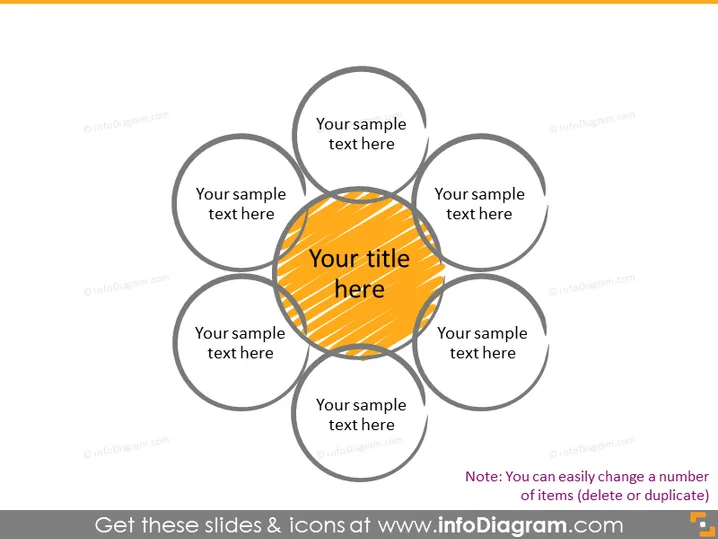
The PowerPoint slide displays a central title with six surrounding fields labeled "Your sample text here". Each field represents a concept or an element connected to the central idea. This format allows presenters to showcase a central theme and how six different areas or topics are interrelated to it. These circular fields can represent different aspects or components that contribute to, result from, or are prerequisites of the primary central theme.
Graphical Look
- The slide has a light background color.
- At the center, there is a large, highlighted circle with a diagonal striped pattern, colored in shades of yellow and dark orange.
- Around the central circle, there are six smaller, uniformly-sized grey outlined circles, each intersecting with the main center circle.
- Each of the six surrounding circles contains a placeholder text "Your sample text here" in a casual sans-serif font.
- The central circle contains larger, bold placeholder text "Your title here" in a sans-serif font, matching the color scheme of the circle.
The slide has a clear, symmetrical design with a prominent central point. The text is minimal, suggesting that the diagram is meant to be customized with specific titles and bullet points.
Use Cases
- Visualizing a business model where the central theme is the company's core value proposition and the surrounding circles represent key customer segments, resources, or value streams.
- Presenting an overview of a project with the central goal at the crux and the supporting objectives or milestones around it.
- Demonstrating how an organization's central mission branches out to different departments or teams, illustrating the concept of unity within diversity.
- Facilitating brainstorming sessions where a central idea or problem is to be examined from various perspectives or dimensions.
How to Edit
How to edit text & colors

How to expand / shorten diagram

How to Replace Icons in infoDiagram PPT


