
Reviews
Sus gráficos añaden un toque agradable a mis presentaciones y recientemente los usé para una de mis reuniones generales. Su conjunto de herramientas añade profesionalismo a mis diapositivas. En lugar de usar imágenes prediseñadas estándar.
Necesitaba un aspecto fresco para algunas de mis diapositivas. Había intentado encontrar una forma de crear un efecto de pincel, de subrayar, acentuar, añadir algo de color y los marcadores escritos a mano fueron justo lo que necesitaba. Muy fácil de usar, fácil de ajustar el tamaño, cambiar el color. Fue una solución asequible y perfecta, y estoy feliz de recomendarla.
El aspecto nítido y limpio de los gráficos, y el hecho de que me permitiera editar y cambiar fácilmente los colores para que coincidieran con la plantilla fue mi principal razón para comprarlos.
Description
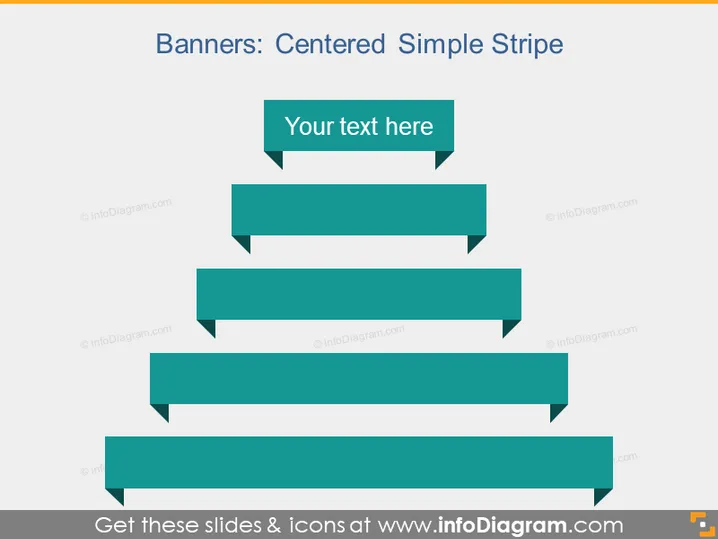
Banners: Centered Simple Stripe
Slide Content
The slide presents a hierarchical concept of "Banners: Centered Simple Stripe" with a series of banners decreasing in size. The top banner, which is the largest, contains placeholder text "Your text here." This arrangement could represent a flow of information, a series of steps, or a breakdown of a central concept into sub-concepts with the largest banner at the top representing the main idea and the others below it depicting subordinate elements.
Graphical Look
- A large, bold title "Banners: Centered Simple Stripe" centered at the top of the slide.
- A series of five flat, rectangular banner shapes aligned horizontally in the center of the slide.
- The topmost banner includes a text box with rounded corners containing the phrase "Your text here."
- Each subsequent banner below is shorter in width than the one above it, creating a stepped effect as they descend.
- All banners are in a consistent teal color.
- Each banner, except for the top one, has a small triangular notch on the right side, pointing towards the slide's right edge.
- There is a subtle drop shadow effect on each banner, giving the slide a slight 3D appearance.
The slide utilizes a clean and modern design with a simple color palette, focusing attention on the structured layout of the banners. The descending sizes of the rectangles create a visual hierarchy, guiding the viewer's eye from the top to the bottom of the slide.
Use Cases
- To display a business or project hierarchy, with each banner representing a different level of importance or sequence.
- As a visual aid for presenting steps in a process or workflow, with each banner detailing a particular phase.
- To summarize the main points of a presentation, dedicating each banner to a key topic.
- Could be used in marketing presentations to highlight the features or benefits of a product or service, with the most important feature at the top.
How to Edit
How to edit text & colors

How to expand / shorten diagram

How to Replace Icons in infoDiagram PPT


