
Reviews
Sus gráficos añaden un toque agradable a mis presentaciones y recientemente los usé para una de mis reuniones generales. Su conjunto de herramientas añade profesionalismo a mis diapositivas. En lugar de usar imágenes prediseñadas estándar.
Necesitaba un aspecto fresco para algunas de mis diapositivas. Había intentado encontrar una forma de crear un efecto de pincel, de subrayar, acentuar, añadir algo de color y los marcadores escritos a mano fueron justo lo que necesitaba. Muy fácil de usar, fácil de ajustar el tamaño, cambiar el color. Fue una solución asequible y perfecta, y estoy feliz de recomendarla.
El aspecto nítido y limpio de los gráficos, y el hecho de que me permitiera editar y cambiar fácilmente los colores para que coincidieran con la plantilla fue mi principal razón para comprarlos.
Description
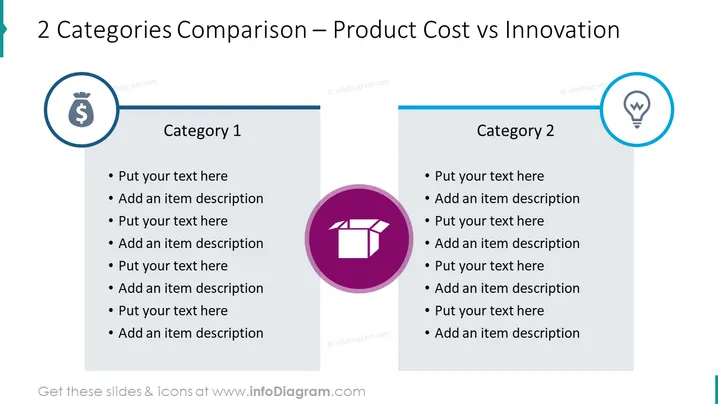
2 Categories Comparison – Product Cost vs Innovation
Slide Content
The slide presents a comparison between two categories: Product Cost (Category 1) and Innovation (Category 2). Each category has space for text entries and descriptions underneath, suggesting that the slide is meant for elaborating on different aspects or examples of Product Cost and Innovation. There's an emphasis on contrasting these two elements, typically essential in business strategy and product development, highlighting how costs and innovative features can be balanced or compared.
Graphical Look
- The slide has a two-column layout with a vertical split in the center.
- Each column has a colored circle icon at the top: the left with a dollar sign for Product Cost, the right with a lightbulb for Innovation.
- Below each icon is the category title in bold, followed by a list of bullet points for text entries.
- The icons are encircled with a thin outline, having contrasting background colors: teal for Product Cost and light blue for Innovation.
- A horizontal line runs above the two category titles, aligning with the middle of the icons.
- The background is plain white, which makes the text and icons stand out clearly.
- The font color is black, which provides a sharp contrast and high readability against the white background.
The slide has a clean and professional appearance, with a clear distinction between the two categories through the use of color and icons. Visual elements are kept minimalistic to focus the viewer's attention on the content.
Use Cases
- To compare and contrast the expenses involved in production with the innovative aspects of a product during a business strategy meeting.
- For a product development presentation to stakeholders, outlining how resources are allocated between cost-saving measures and innovation.
- In educational settings to demonstrate the trade-offs and balance necessary between product affordability and novel features.
- As a visual aid during a marketing meeting to discuss how the product's cost and innovative features can be leveraged in advertising campaigns.
How to Edit
How to edit text & colors

How to expand / shorten diagram

How to Replace Icons in infoDiagram PPT


