

Your graphics add a nice touch to my presentations and I recently used them for one of my all-hands meetings. Your toolbox adds professionalism to my slides. Instead of using standard clipart.
Claude Jones, Director of Engineer, @Walmartlabs, USA

Your graphics add a nice touch to my presentations and I recently used them for one of my all-hands meetings. Your toolbox adds professionalism to my slides. Instead of using standard clipart.
Claude Jones, Director of Engineer, @Walmartlabs, USA
I needed a fresh look at some of my slides. I've tried to find a way to create a paintbrush effect, to underline, accentuate, add some color and the handwritten markers were just the things. Very easy to use, easy to size, change the color. It was an affordable, perfect solution and I'm happy to recommend it.
Anonymous, US
The crisp, clean look of the graphics, and the fact that it allowed me to easily edit and change the colors to match the template was my main reason for purchasing them.
Brandie Jenkins, E-learning Developer, USA
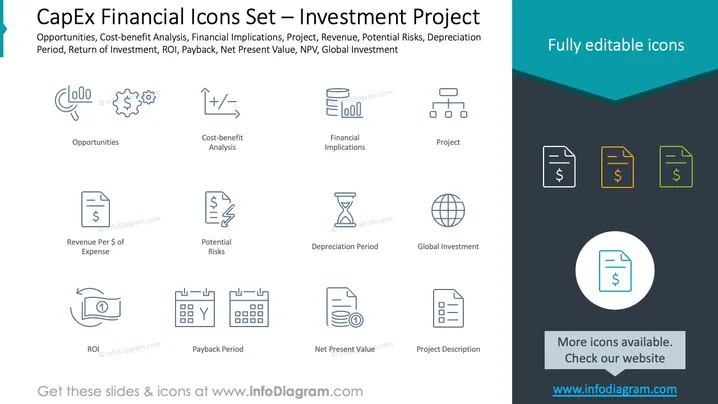
The slide serves as an overview of financial concepts related to capital expenditure (CapEx) for an investment project. It encapsulates the key elements: Opportunities, which suggest areas for potential growth or improvement; Cost-benefit Analysis, entailing a comparison of costs and benefits of a proposed project; Financial Implications, signifying the monetary consequences or outcomes; Project, representing the planned set of interrelated tasks; Revenue, or the income generated from normal business operations; Potential Risks, highlighting uncertainties with negative consequences; Depreciation Period, the time over which a fixed asset's value is reduced; Global Investment, indicating cross-border investments; Return of Investment (ROI), a measure of profitability; Payback Period, the time it takes for an investment to break even; Net Present Value (NPV), assessing the value of an investment's future cash flows; and Project Description, detailing the specifics of a proposed endeavor.
The slide conveys a sense of organization and easy digestibility, with clear separation of each element and a cohesive color scheme. The icons are simple yet informative, supporting quick comprehension of their associated concepts.



