
Reviews
Your graphics add a nice touch to my presentations and I recently used them for one of my all-hands meetings. Your toolbox adds professionalism to my slides. Instead of using standard clipart.
I needed a fresh look at some of my slides. I've tried to find a way to create a paintbrush effect, to underline, accentuate, add some color and the handwritten markers were just the things. Very easy to use, easy to size, change the color. It was an affordable, perfect solution and I'm happy to recommend it.
The crisp, clean look of the graphics, and the fact that it allowed me to easily edit and change the colors to match the template was my main reason for purchasing them.
Description
CapEx Financial Icons Set – Assets Types
Slide Content
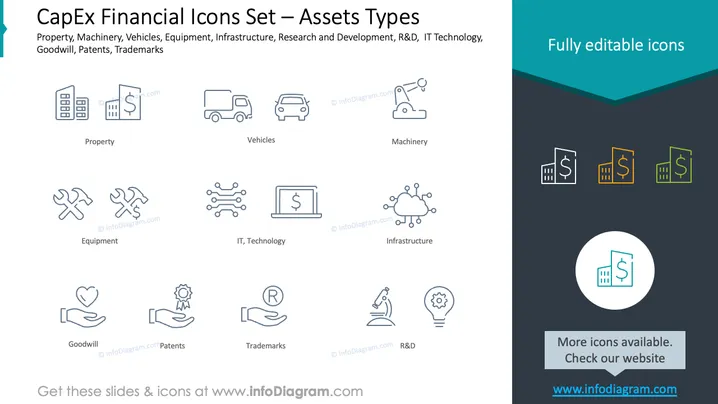
The PowerPoint slide is themed "CapEx Financial Icons Set – Assets Types" and provides an overview of various asset categories that businesses typically account for in their financial planning. These include "Property" representing investment in real estate, "Vehicles" for transportation assets, "Machinery" indicating manufacturing or production equipment, "Equipment" for tools and devices used in operations, "IT, Technology" symbolizing software and hardware investments, "Infrastructure" for foundational systems and structures, "Goodwill" representing the value of a company's brand and customer relations, "Patents" showing intellectual property rights, and "Trademarks" denoting registered brand symbols or names. Each icon visually encapsulates its respective asset type.
Graphical Look
- The slide has a clean and modern design, with a two-tone background – a dark teal header and a lighter greyish body.
- The top section features the slide title in white, with a tagline beneath it.
- Eight icon graphics are linearly displayed, evenly spaced across the slide, each paired with a corresponding label.
- The icons are styled as outline vectors, simple and professional, each inside a round-edged rectangle.
- In the header, smaller, colored icons are grouped on the right, showing monetary symbols in three different colors.
- The main graphic area is framed by a thin, light border, separating it from the header and the footer.
- The footer section includes a button-like graphic with a call-to-action text.
The slide uses a clean and simple layout to maximize clarity and visual appeal. The icons are designed to be intuitive and easily recognized, corresponding to their respective asset categories.
Use Cases
- Presenting an overview of asset types during a financial or business strategy meeting.
- Educating new employees about company assets in an onboarding session.
- Using as part of investor presentations to explain the types of assets the company holds.
- Incorporating into financial training materials to tutor finance teams on capital expenditure categorization.
How to Edit
How to edit text & colors

How to expand / shorten diagram

How to Replace Icons in infoDiagram PPT


