
Reviews
Sus gráficos añaden un toque agradable a mis presentaciones y recientemente los usé para una de mis reuniones generales. Su conjunto de herramientas añade profesionalismo a mis diapositivas. En lugar de usar imágenes prediseñadas estándar.
Necesitaba un aspecto fresco para algunas de mis diapositivas. Había intentado encontrar una forma de crear un efecto de pincel, de subrayar, acentuar, añadir algo de color y los marcadores escritos a mano fueron justo lo que necesitaba. Muy fácil de usar, fácil de ajustar el tamaño, cambiar el color. Fue una solución asequible y perfecta, y estoy feliz de recomendarla.
El aspecto nítido y limpio de los gráficos, y el hecho de que me permitiera editar y cambiar fácilmente los colores para que coincidieran con la plantilla fue mi principal razón para comprarlos.
Description
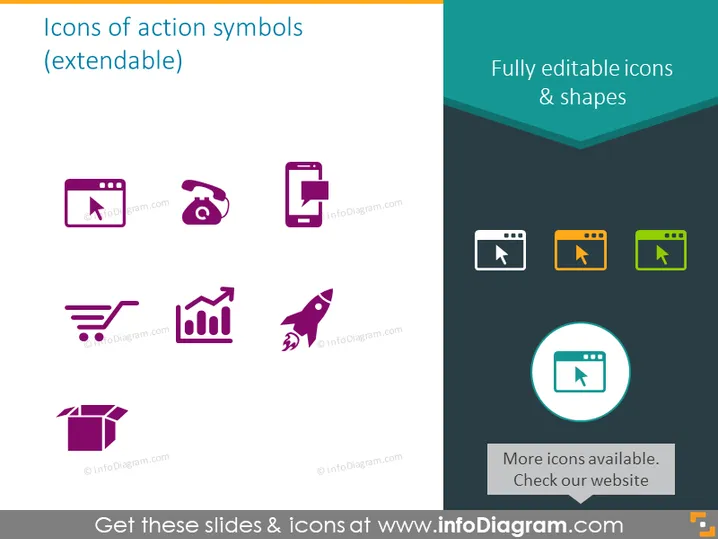
Icons of action symbols (extendable)
Slide Content
This PowerPoint slide displays a collection of icons representing various action symbols. These icons appear suitable for use in presentations to visually convey concepts: a browser window, telephone, mobile, shopping cart, growth chart, rocket, open box, and video play. Each of these symbols can be associated with actions like browsing, communication, mobile usage, shopping, increasing metrics, innovation or acceleration, unpacking or revealing, and multimedia engagement.
Graphical Look
- The slide background is plain white, providing a clean and neutral canvas for the icons.
- At the top, there is a title section with a dark teal background against which the slide title text is white.
- There are two columns of icons, with four icons in each column.
- The icons on the left are in various shades of purple, while the icons on the right alternate between orange and green.
- The icons are simplistic and two-dimensional for easy understanding.
- Underneath the icons on the right, there's a dark teal rectangle with text presenting additional information.
- The bottom of the slide has an additional message in a circular icon with a light teal background.
The slide features a minimalist design with brightly colored icons that stand out against the white background. The use of color is balanced, with contrasting purple, teal, orange, and green elements creating visual interest.
Use Cases
- To illustrate and highlight different functional areas or services in a company presentation.
- To represent various steps or processes in an instructional or educational presentation.
- As visual aids in marketing materials to denote features or benefits of products or services.
- To enhance the visual appeal and comprehension in user guides or manuals for software and applications.
How to Edit
How to edit text & colors

How to expand / shorten diagram

How to Replace Icons in infoDiagram PPT


