
Reviews
Sus gráficos añaden un toque agradable a mis presentaciones y recientemente los usé para una de mis reuniones generales. Su conjunto de herramientas añade profesionalismo a mis diapositivas. En lugar de usar imágenes prediseñadas estándar.
Necesitaba un aspecto fresco para algunas de mis diapositivas. Había intentado encontrar una forma de crear un efecto de pincel, de subrayar, acentuar, añadir algo de color y los marcadores escritos a mano fueron justo lo que necesitaba. Muy fácil de usar, fácil de ajustar el tamaño, cambiar el color. Fue una solución asequible y perfecta, y estoy feliz de recomendarla.
El aspecto nítido y limpio de los gráficos, y el hecho de que me permitiera editar y cambiar fácilmente los colores para que coincidieran con la plantilla fue mi principal razón para comprarlos.
Description
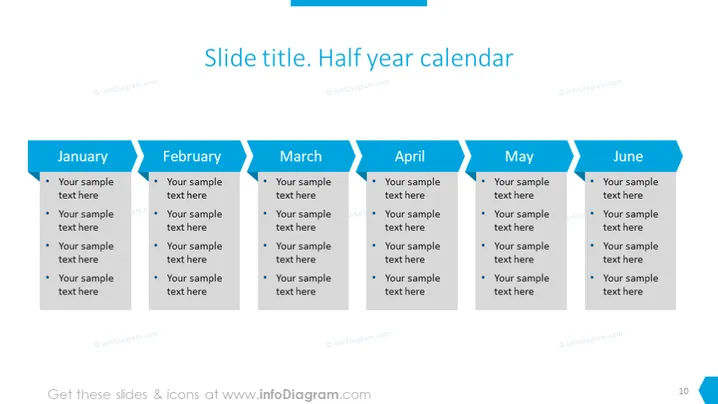
Slide title. Half year calendar
Slide Content
The PowerPoint slide titled "Half year calendar" outlines a six-month plan, with each month presented in a dedicated tab running horizontally across the slide. For January through June, there are bullet points under each month, labeled "Your sample text here," suggesting placeholders for monthly specific goals, tasks, events, or milestones. This layout provides a clear visual depiction of a half-year timeline, where each concept within the months can be expanded to convey detailed plans or accomplishments expected for that time frame.
Graphical Look
- The slide background is a plain, light color.
- At the top, there is a dark title bar spanning the width of the slide with white text announcing the title.
- Below the title, six tabs or banners, akin to file folder labels, represent the months from January to June; each month has a unique color but with a uniform style.
- Inside each monthly tab section, there are bullet points allowing for multiple entries of text.
- The bullet points are depicted by small, filled circle icons for a minimalistic look.
- The slide uses a mix of dark and lighter blues to color-code the monthly sections, using contrast to differentiate them.
- The font is clear and sans-serif, which contributes to the modern look of the slide.
The overall look of the slide is clean and organized, using color blocks and simple icons for an uncluttered presentation structure. The design enables the viewer to grasp the half-year timeline quickly and absorb information efficiently.
Use Cases
- For business project planning presentations, to show progress or deliverables expected over the next six months.
- During company-wide meetings, to outline the key dates and milestones for the first or second half of the year.
- In strategy sessions, presenting the timeline for launching new products or services.
- For academic or training purposes, laying out a semester's curriculum or important deadlines.
How to Edit
How to edit text & colors

How to expand / shorten diagram

How to Replace Icons in infoDiagram PPT


